
Have you ever found the perfect audio on Instagram, TikTok or Pinterest… only to lose it later?
Or maybe you heard an audio that instantly gave you the perfect content idea. Suddenly, you know exactly what you want to create. You save it for later… but when you finally come back to it, the moment has passed. The spark is gone.
We’ve all been there.
That’s why we built this feature.
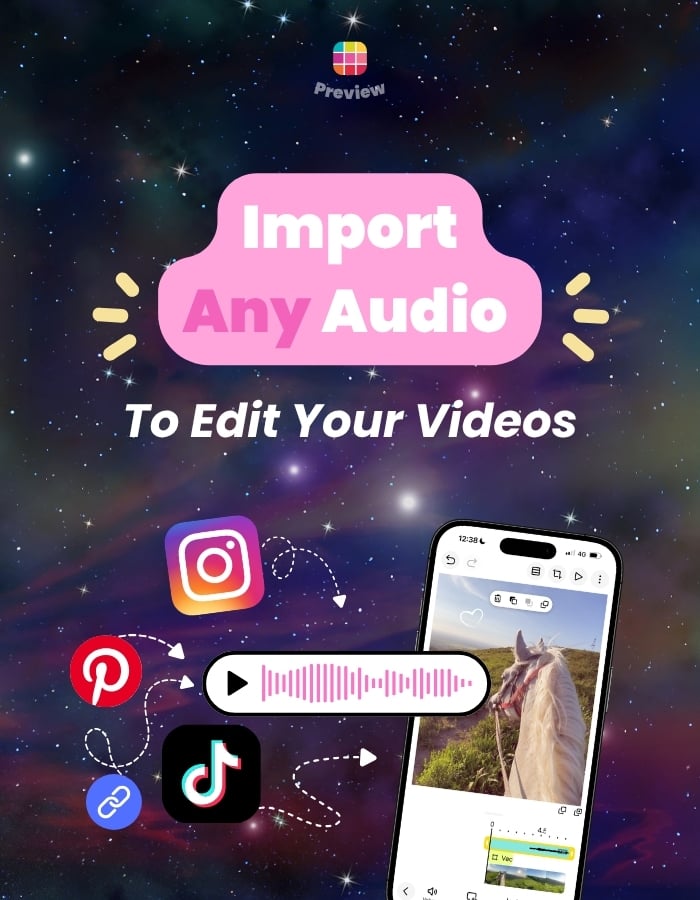
With Preview, you can import audio from any Instagram, TikTok or Pinterest post directly into your project. Simply copy the link to the post, paste it into Preview, and the audio is automatically added to your video so you can start editing right away.
No more hunting through your Saved folders. No more forgotten ideas.
Let’s see how it works.
How to Import Any Instagram, TikTok or Pinterest Audio into Preview
It’s incredibly simple.
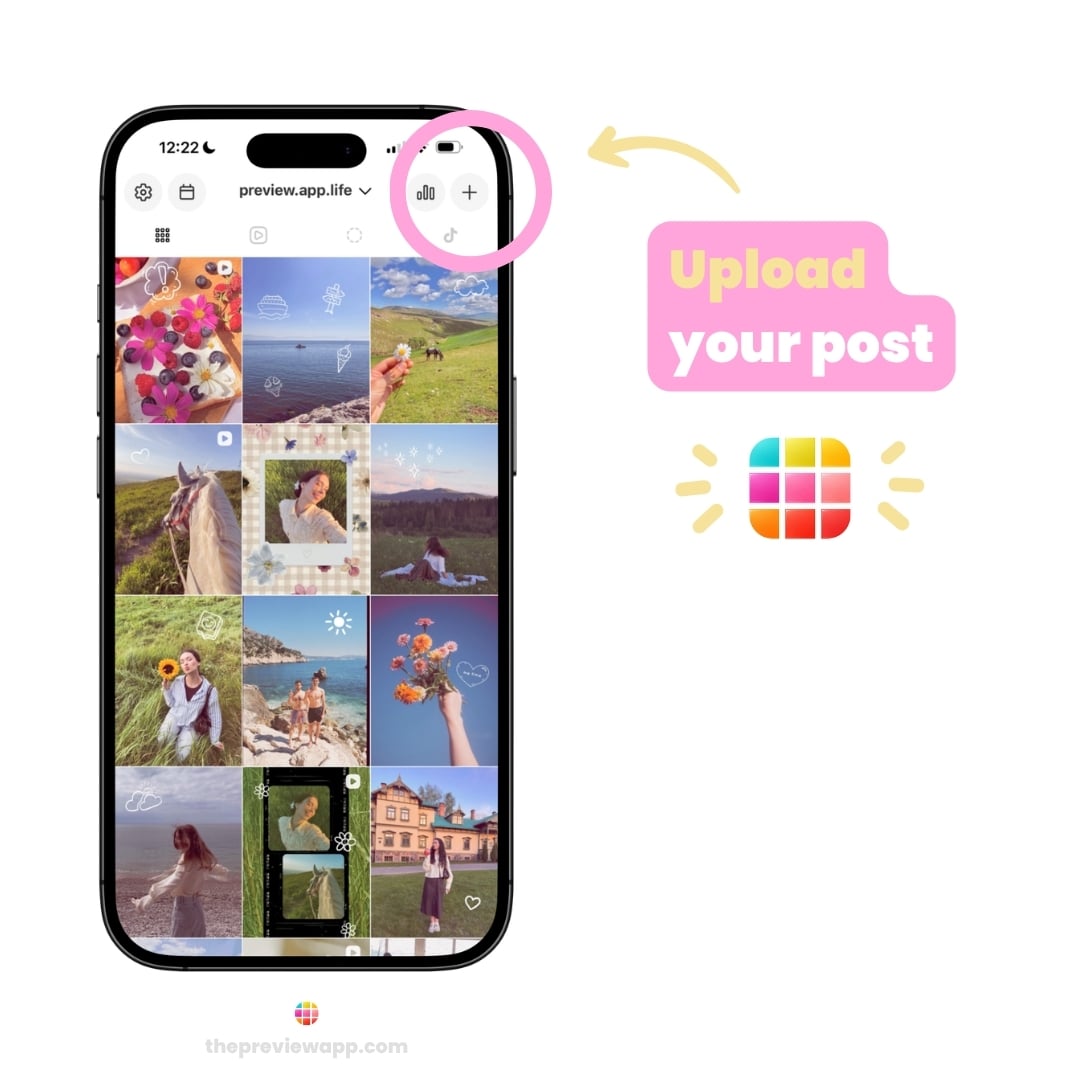
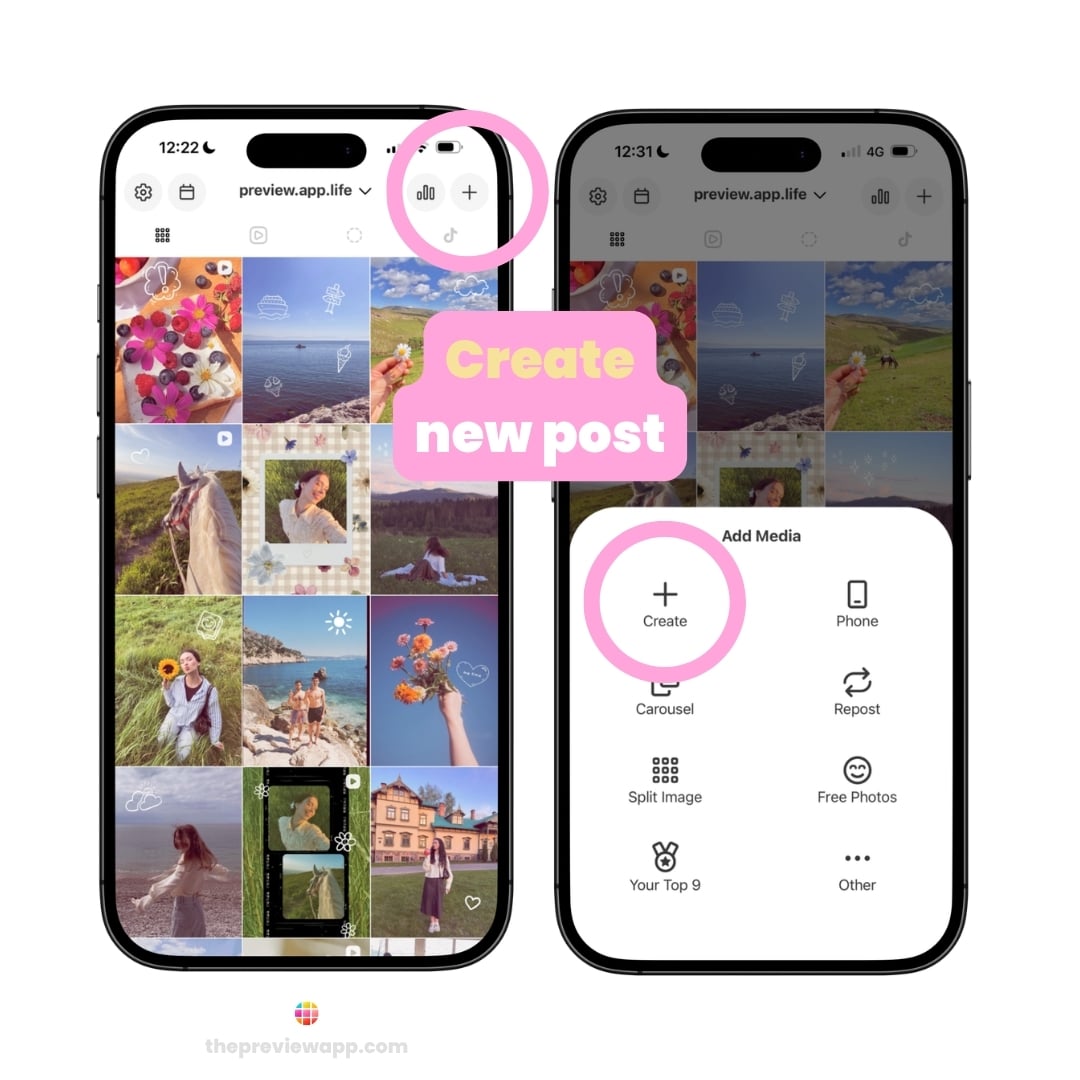
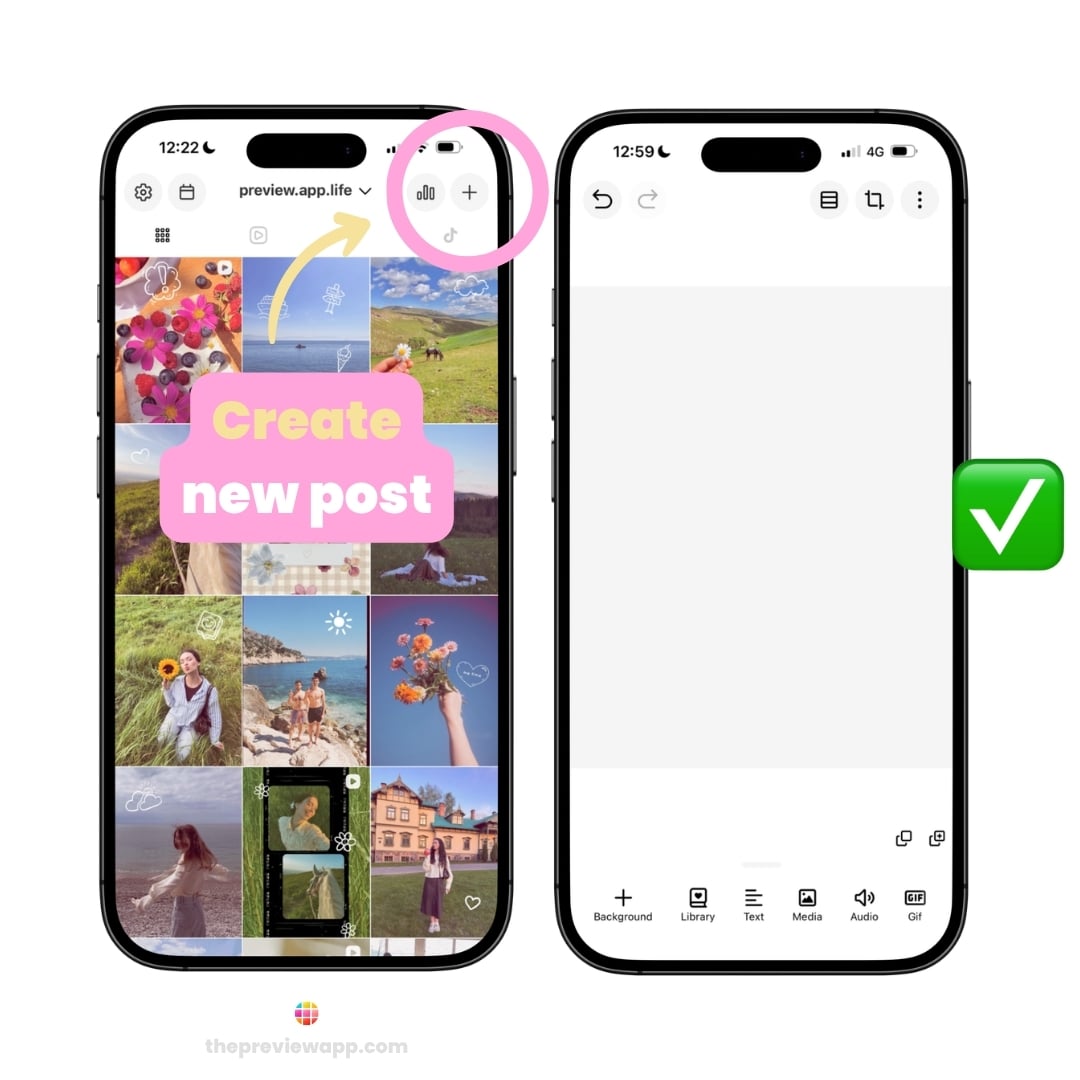
- Create a new post in Preview
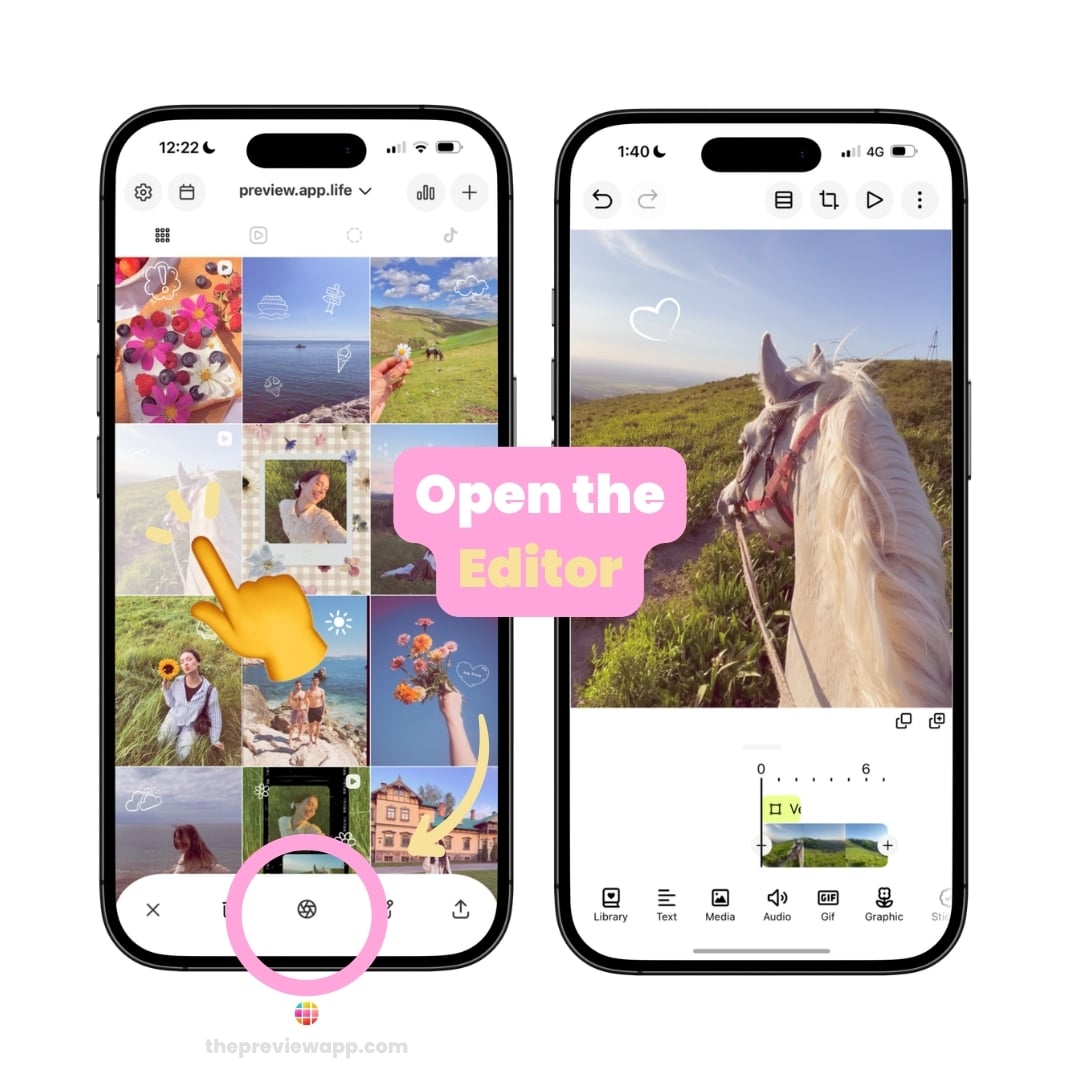
- Tap on the post
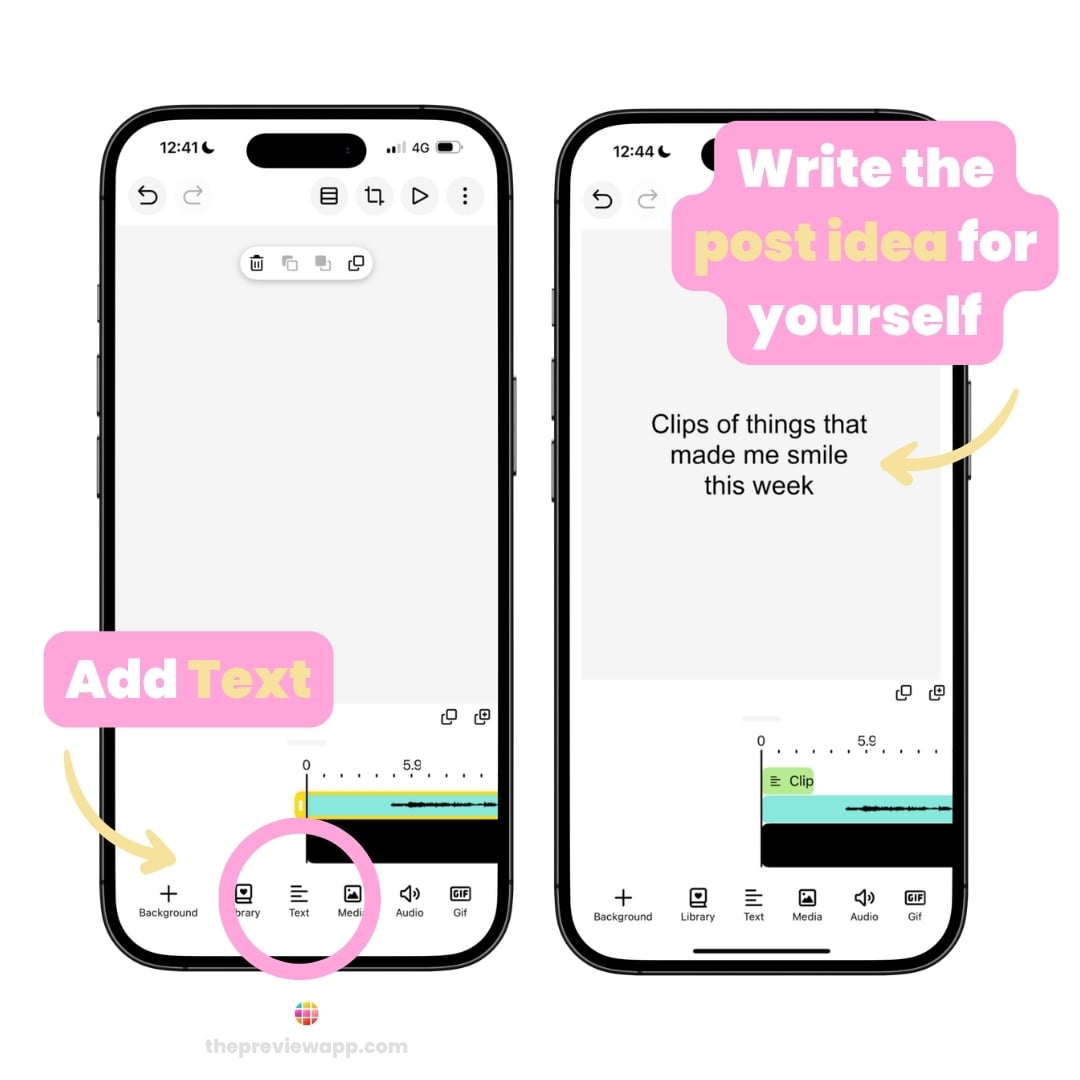
- Open the Editor
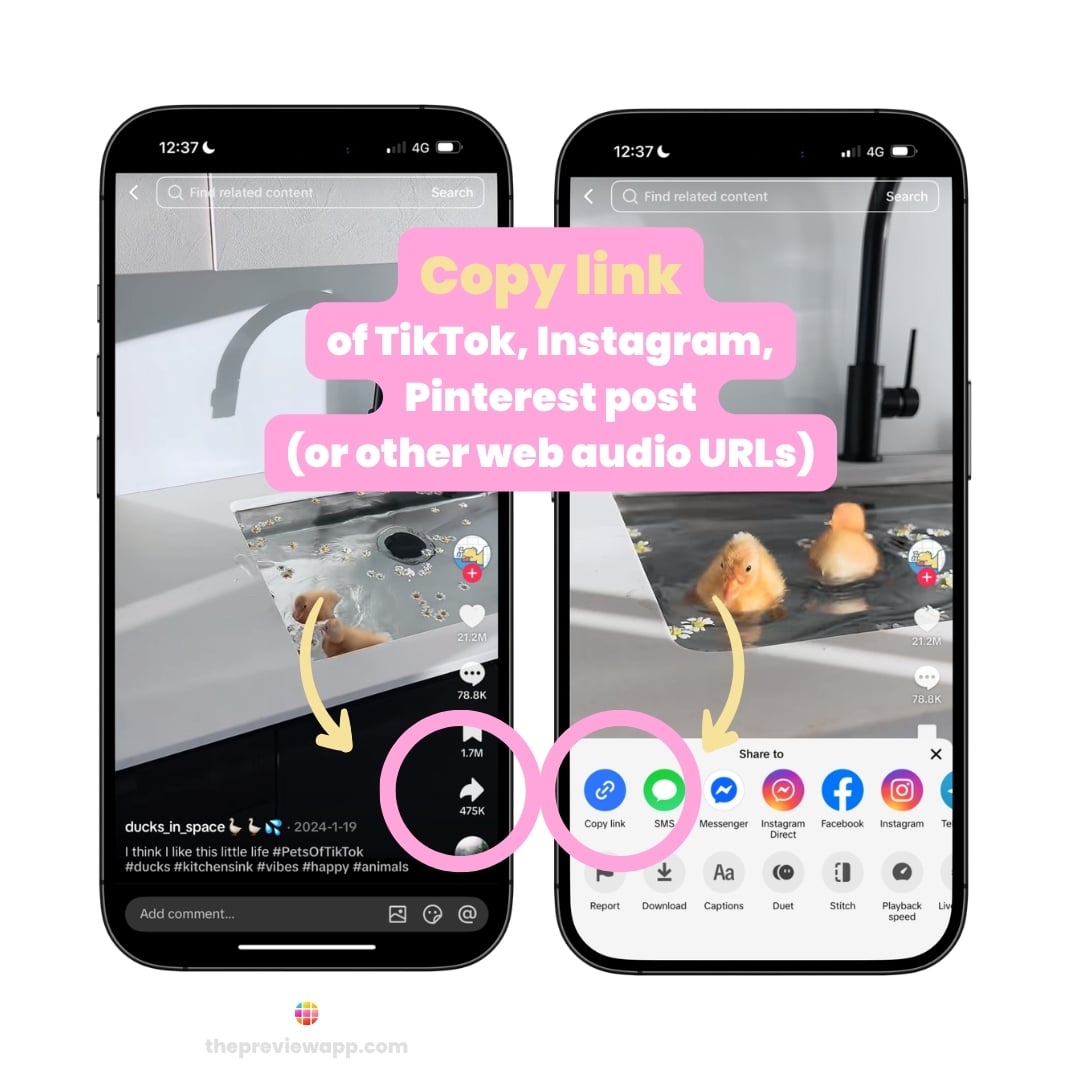
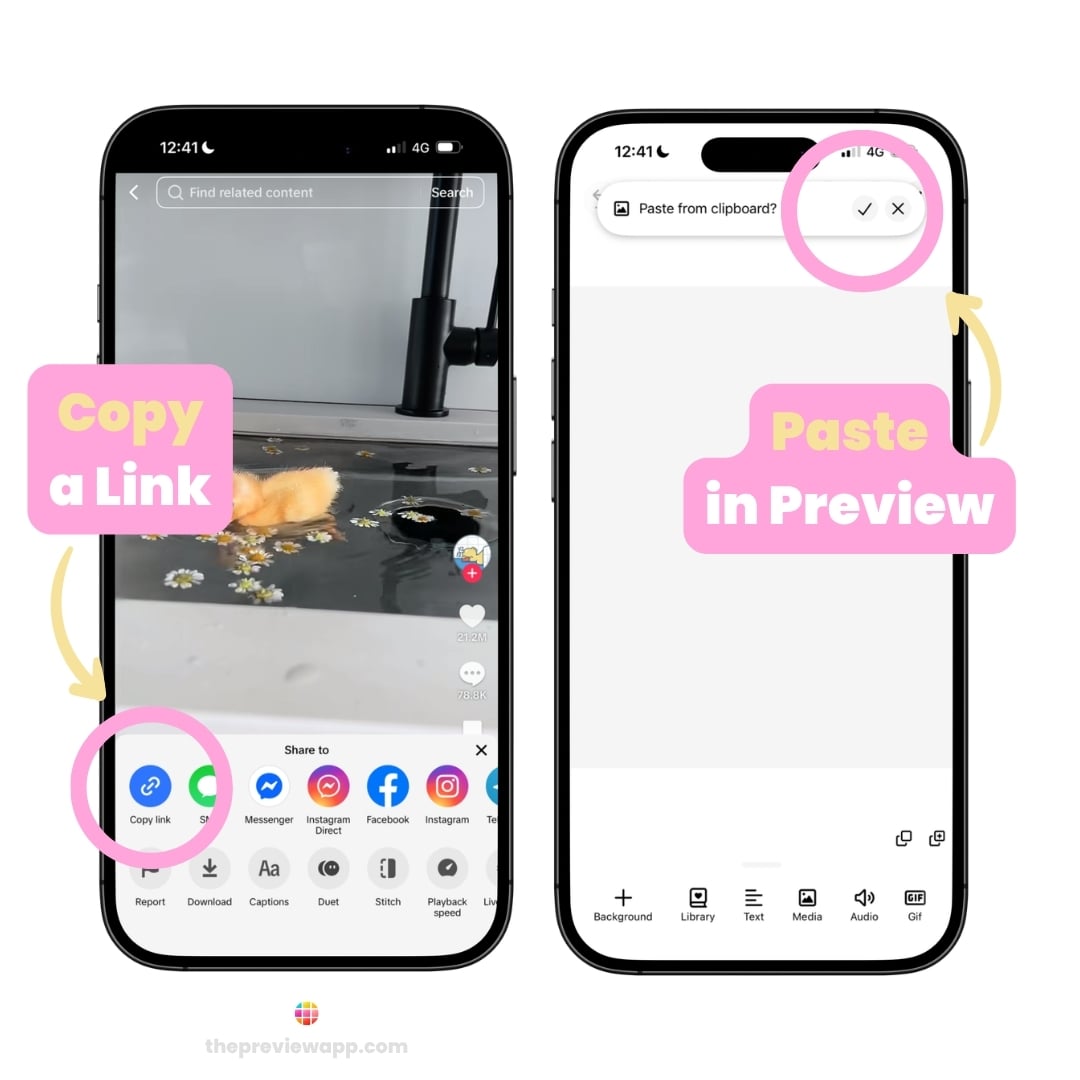
- Go to Instagram, TikTok or Pinterest
- Copy the link to the post containing the audio you want to use
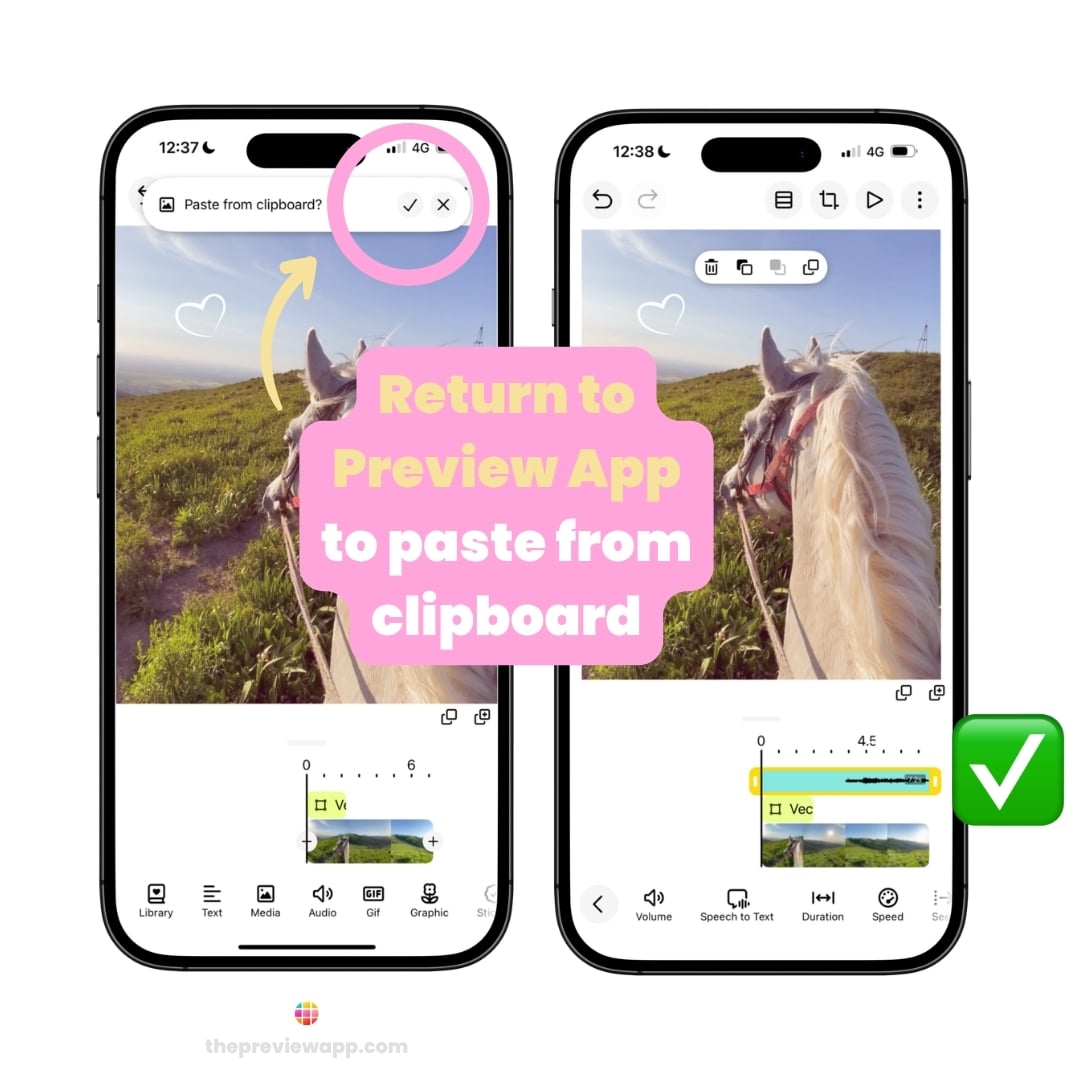
- Return to Preview
- Tap the ✓ Checkmark
Preview will automatically detect the link from your clipboard and import the audio into your project.
That’s it!
Now you’re ready to edit your video with the audio you love.
Turn Inspiration into a Draft
How many times have you saved an audio because it inspired you…
…only to completely forget what you wanted to create with it?
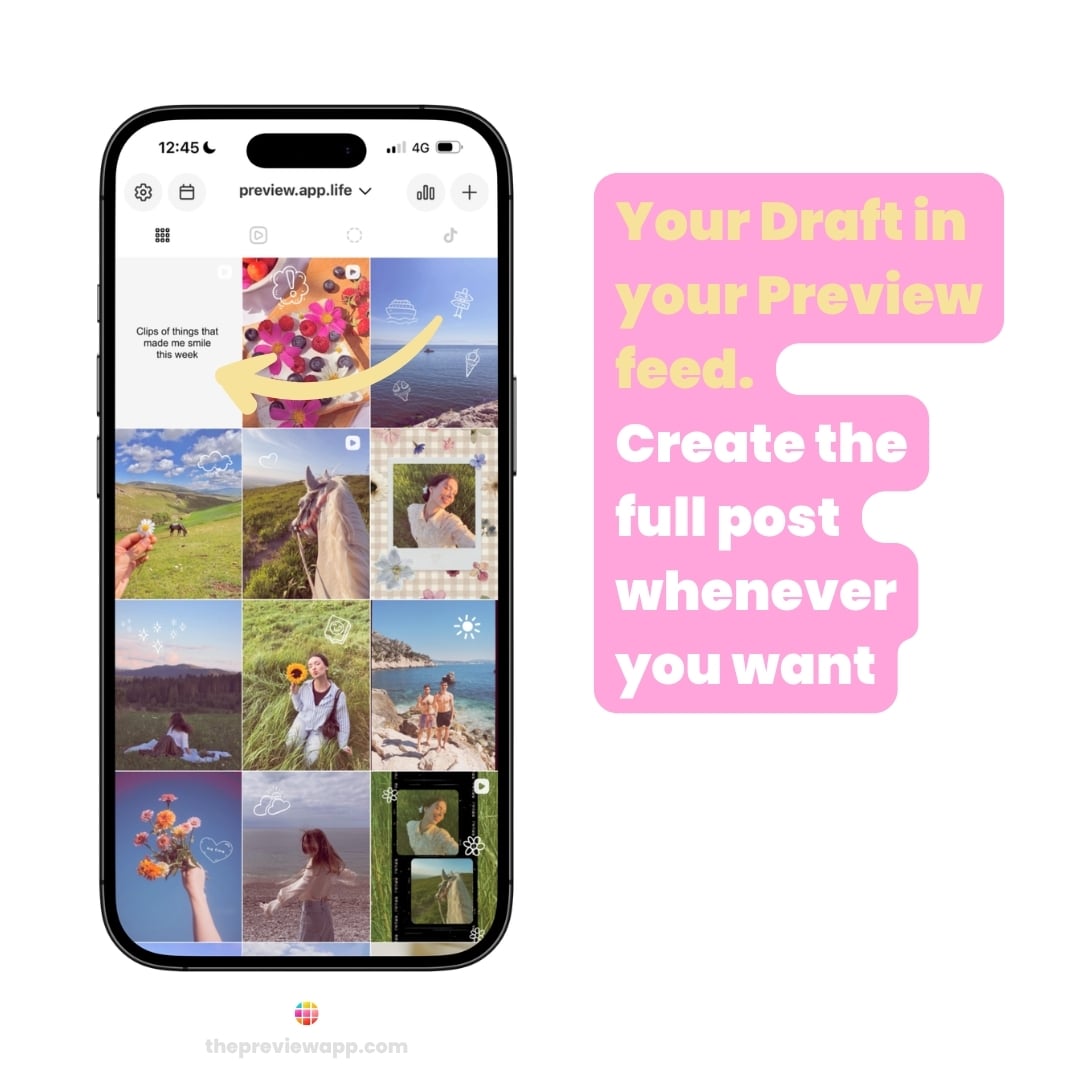
Instead of leaving great ideas buried in your Saved folder, turn them into actual content drafts.
The moment inspiration strikes, create a draft in Preview with the audio already attached. Then, whenever you’re ready, simply come back, add your photos or videos, and schedule the post.
Future you will be very grateful.
Here’s how:
- Tap + to create a new post
- Import the audio using its link
- Add a note describing your idea (using the Text tool)
- If you’re feeling inspired, upload your photos and videos right away – or leave it as a draft for later
Now your idea, your audio, and your future post all live together in one place.
Meet Your Future Content Library
Here’s a little secret many successful creators use:
They don’t start from scratch every time they make a Reel.
Instead, they build a library of photos, videos, graphics and clips they can reuse again and again with different audio.
The same video can feel completely new with a different soundtrack.
You can build your own Content Library inside Preview.
Here’s how:
- Tap + to create a new post
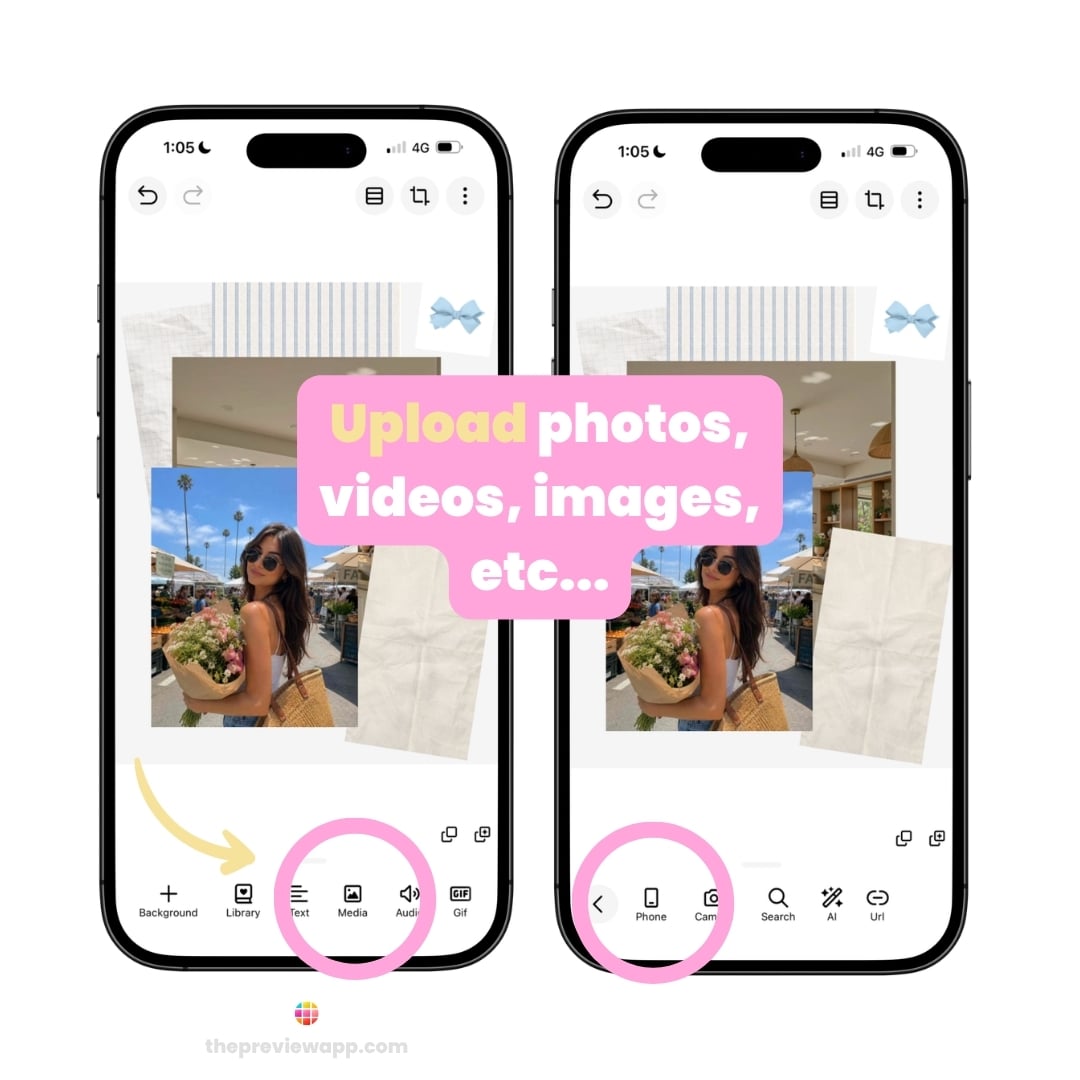
- Upload any photos, videos, graphics or images from your Camera Roll
- You can also import images from the web by copying and pasting their link (Pinterest graphics are perfect for this!)
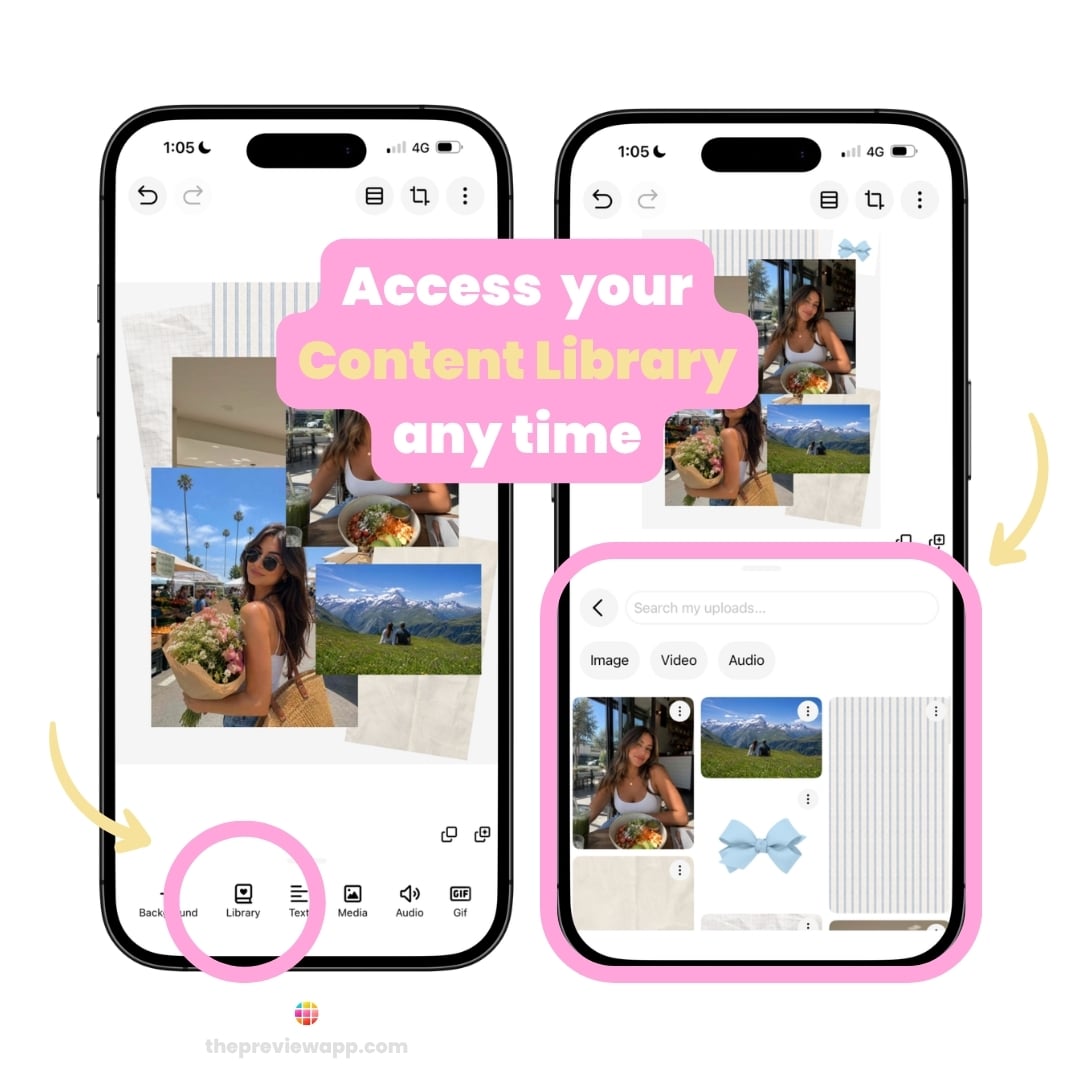
- Every file you upload is saved in your Library for future projects
The next time you create a Reel or post, you won’t need to search through your Camera Roll or upload everything again.
Simply open your Library, choose your content, add a new audio, and create something fresh in minutes.
The more content you save, the faster creating becomes.
Have fun!
We hope this feature helps you spend less time searching for audio and more time bringing your ideas to life.
Remember: when inspiration strikes, save it. Your future self will thank you.
And if you ever get stuck or have a question, just send us an email. We’re always happy to help.
Have fun creating, and I’ll see you in the next blog post!