
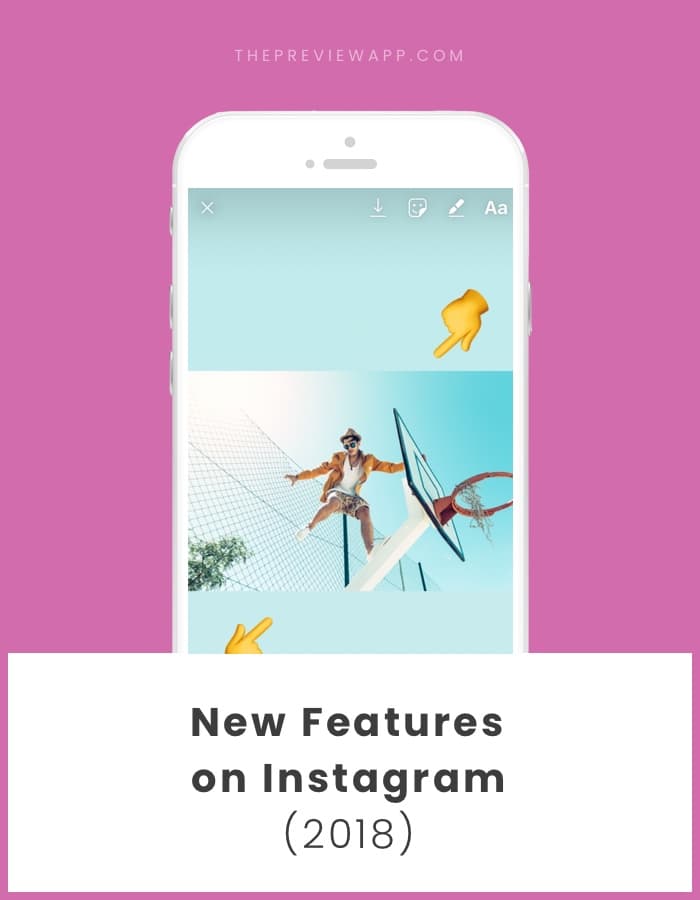
Hello Instagram lovers! Instagram has started the year with a BANG!
It seems like Instagram might not roll out new features to everyone around the world at the same time. So if you don’t have some of these new features yet, keep an eye on your Instagram updates.
Here are some new Instagram features so far:
- GIFs in Insta Stories
- Resize Insta Story photos or videos
- Follow hashtags
- “Recommended for you” posts
- New fonts in Insta Stories
- New “Type” feature
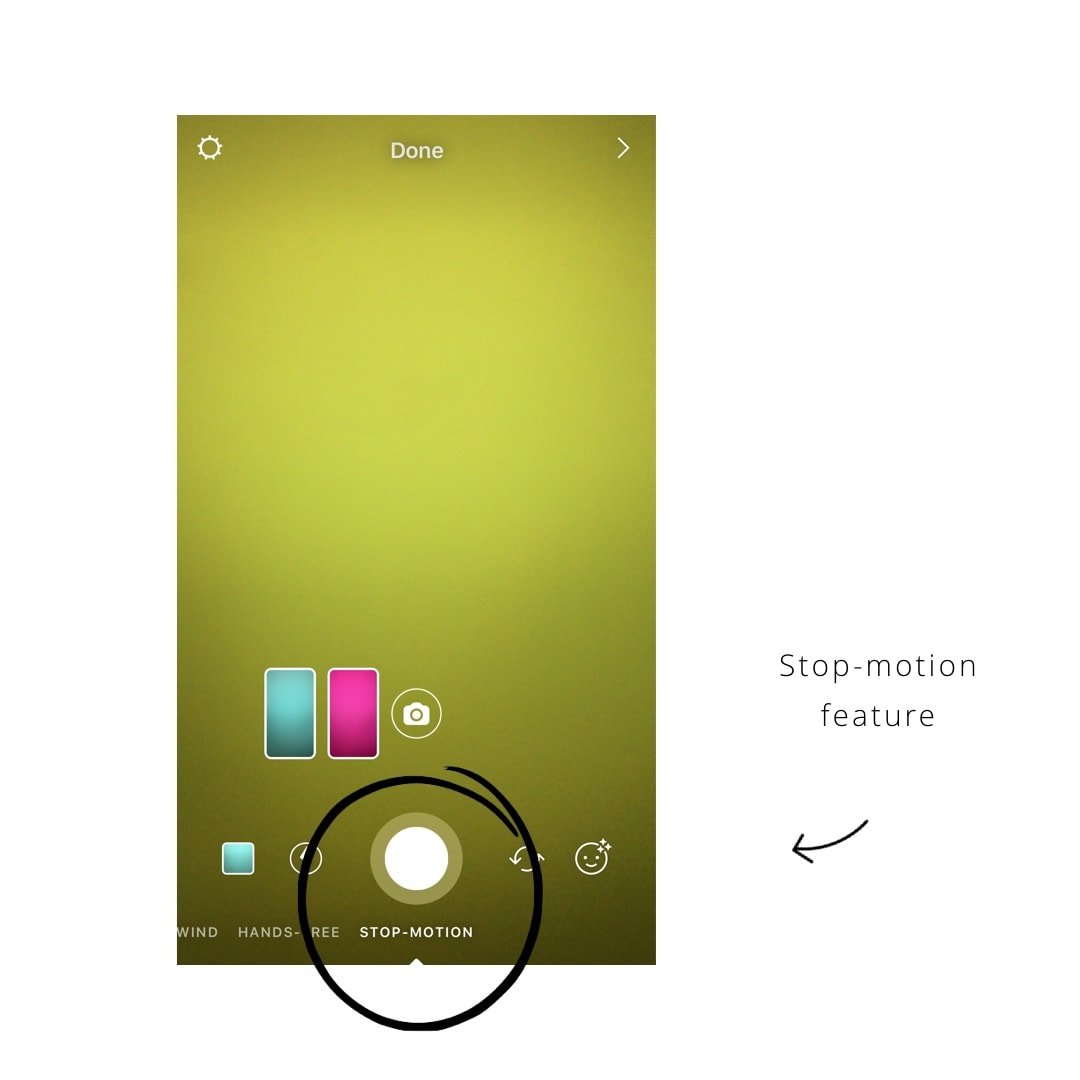
- Stop Motion in your Insta Story
- Insta Story Highlights
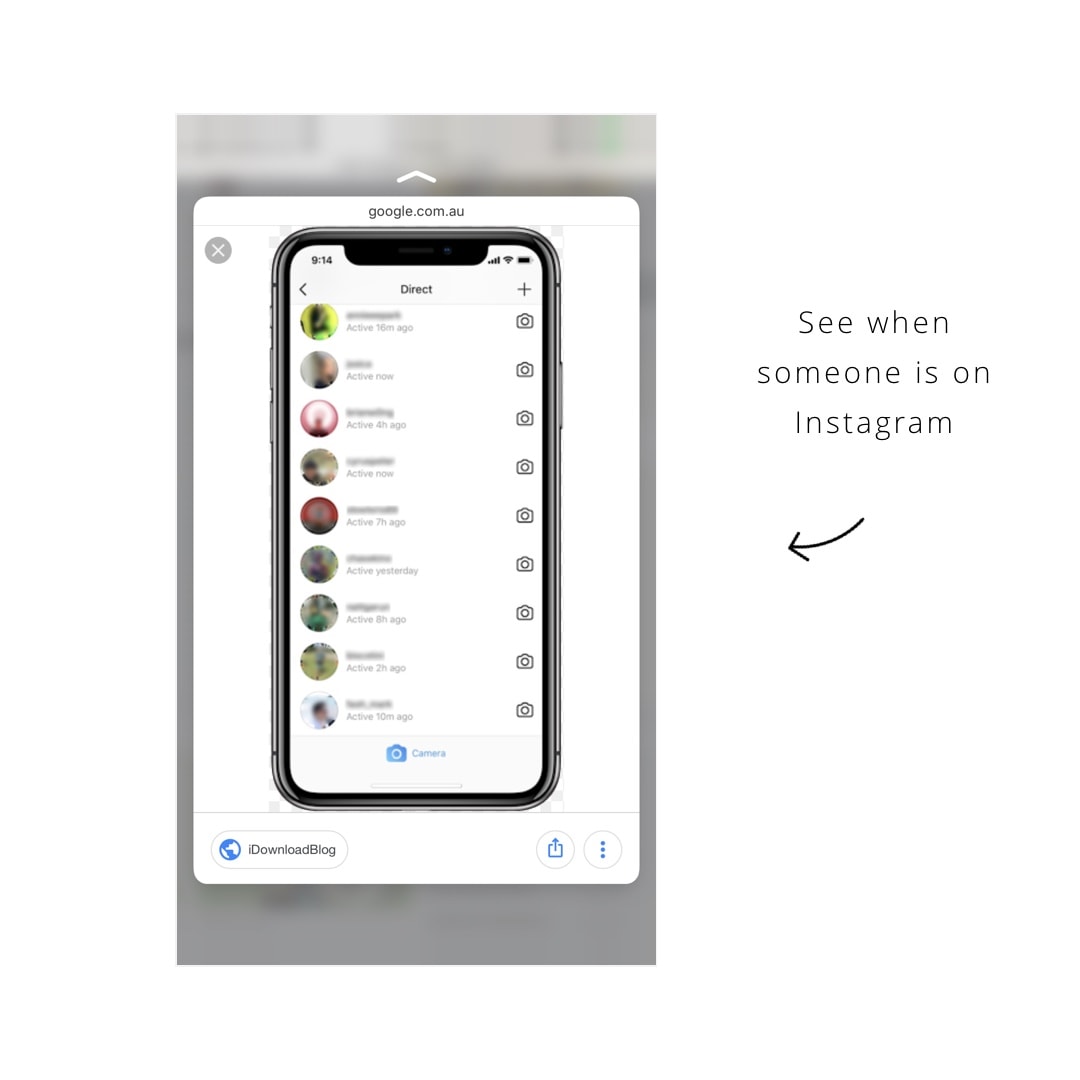
- “Online status”: check if someone is online on Instagram
- Insta Story screenshot alert
- Share your Insta Story to Facebook
- Share Instagram posts on Insta Story
- Instagram Shopping
- Add hashtags and profile links in your bio
- “Focus” feature on Insta Story
- Chronological feed?
This is how the new features work:
1. GIFs in Insta Stories
Note: Instagram removed the GIFs feature because people found inappropriate ones.
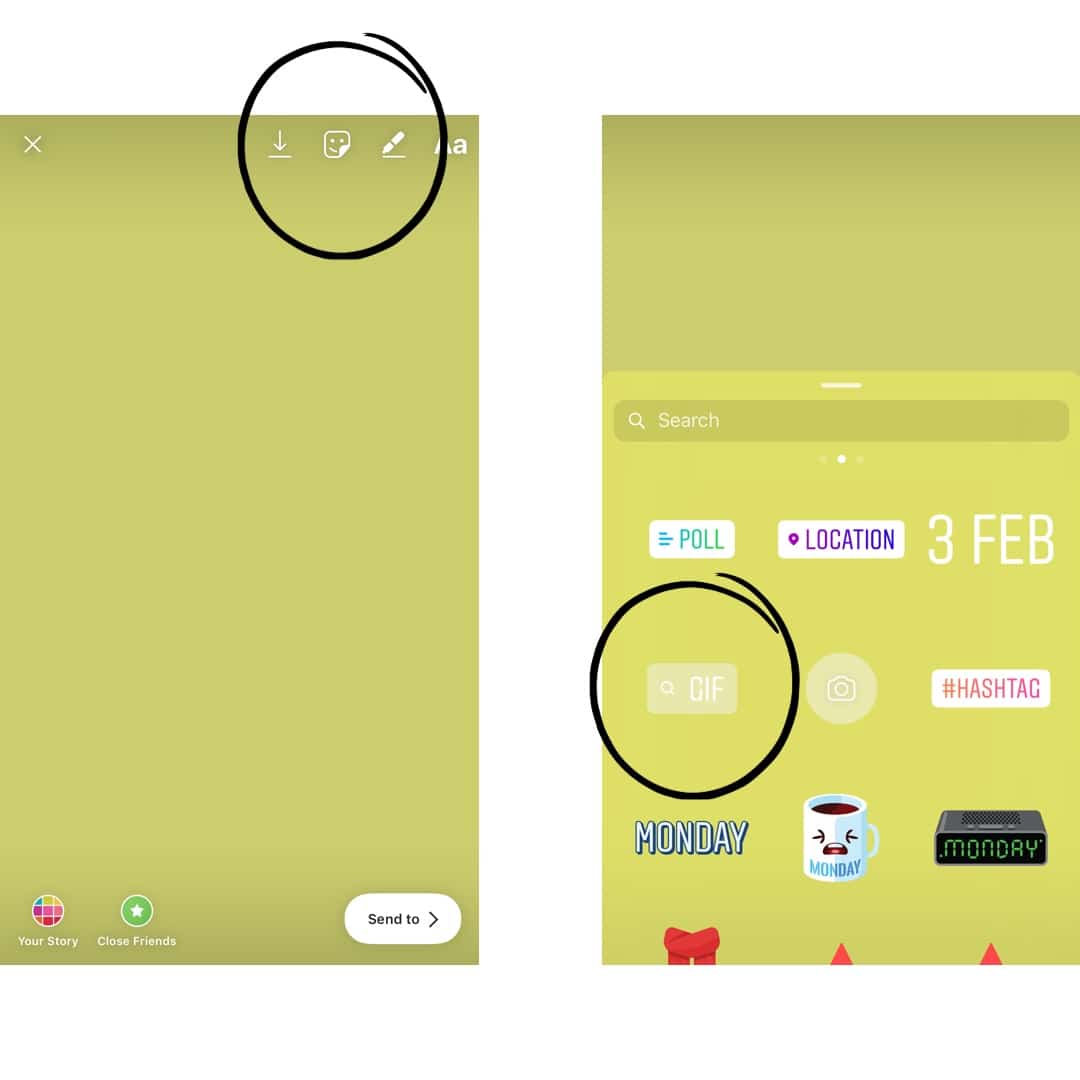
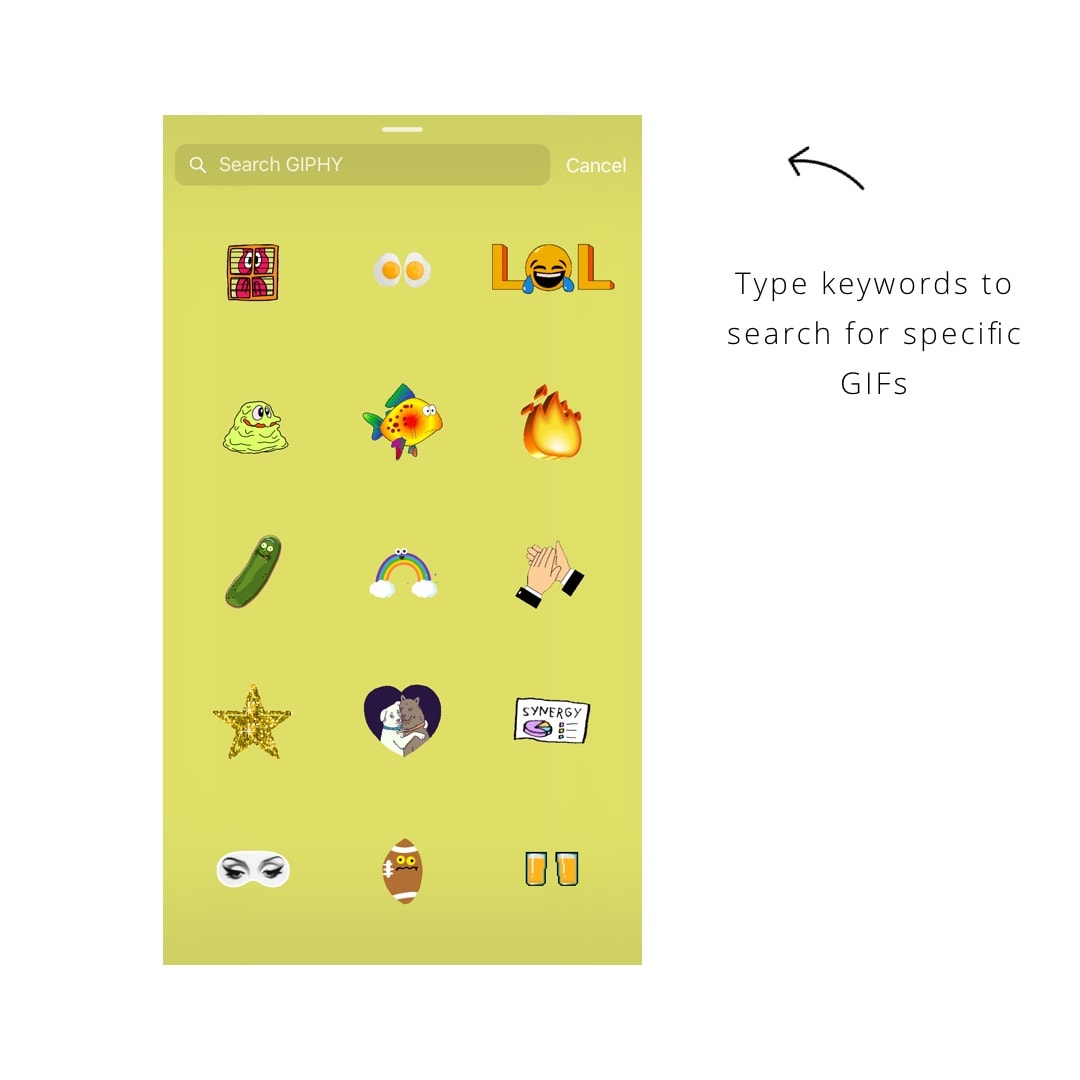
You can now add these fun animated stickers (called GIFs) in your Insta Stories. There are a tons of GIFs available. If you’re looking for something specific you can enter keywords in the search bar on top of the screen. Example: Dance, hearts, dog, cat, eyes, etc…
2. Resize Insta Story photos and videos
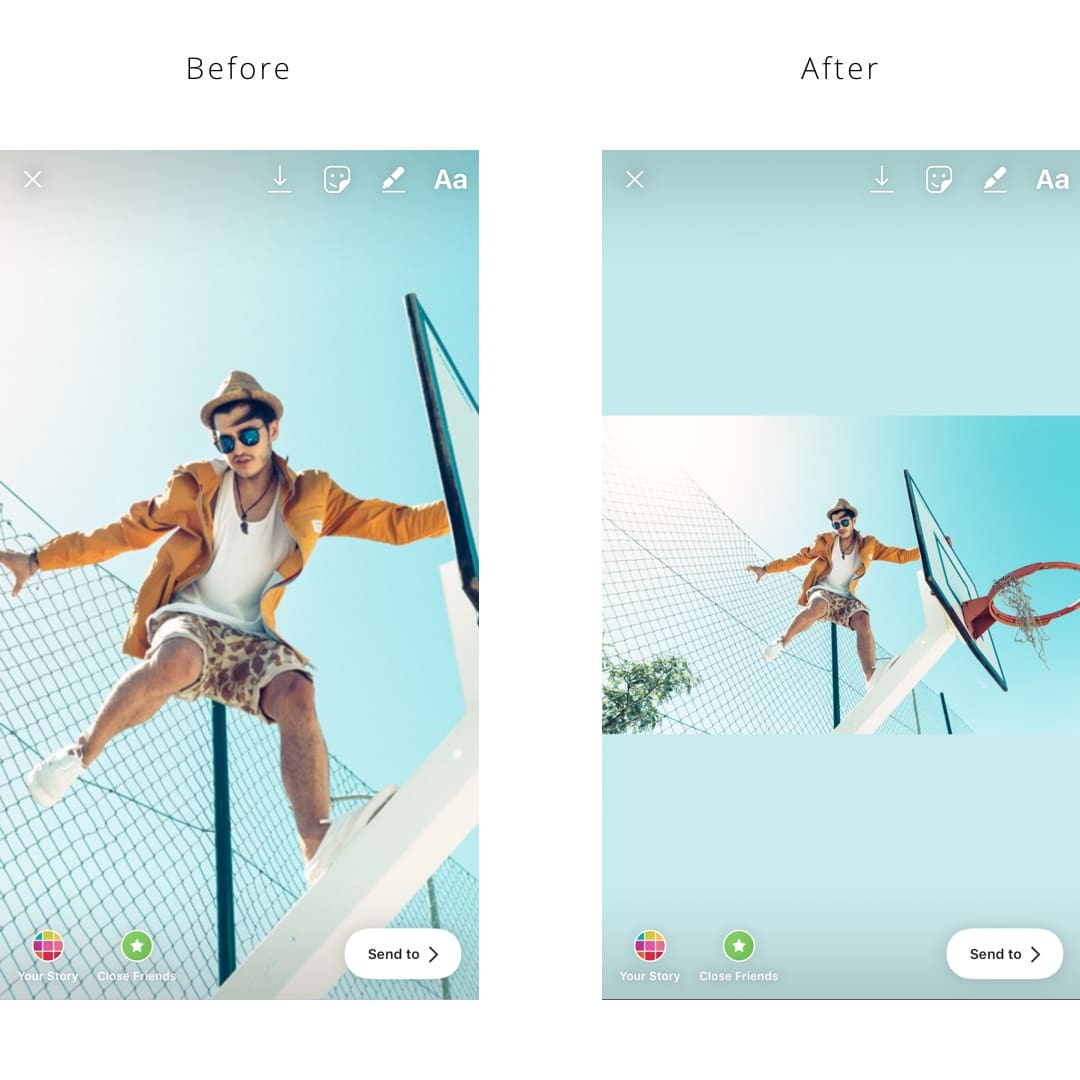
The photos you share on Insta Stories don’t have to be full screen anymore. You can resize them!
- Take a photo with your phone (not inside your Insta Story)
- Go in your Insta Story
- Select your photo
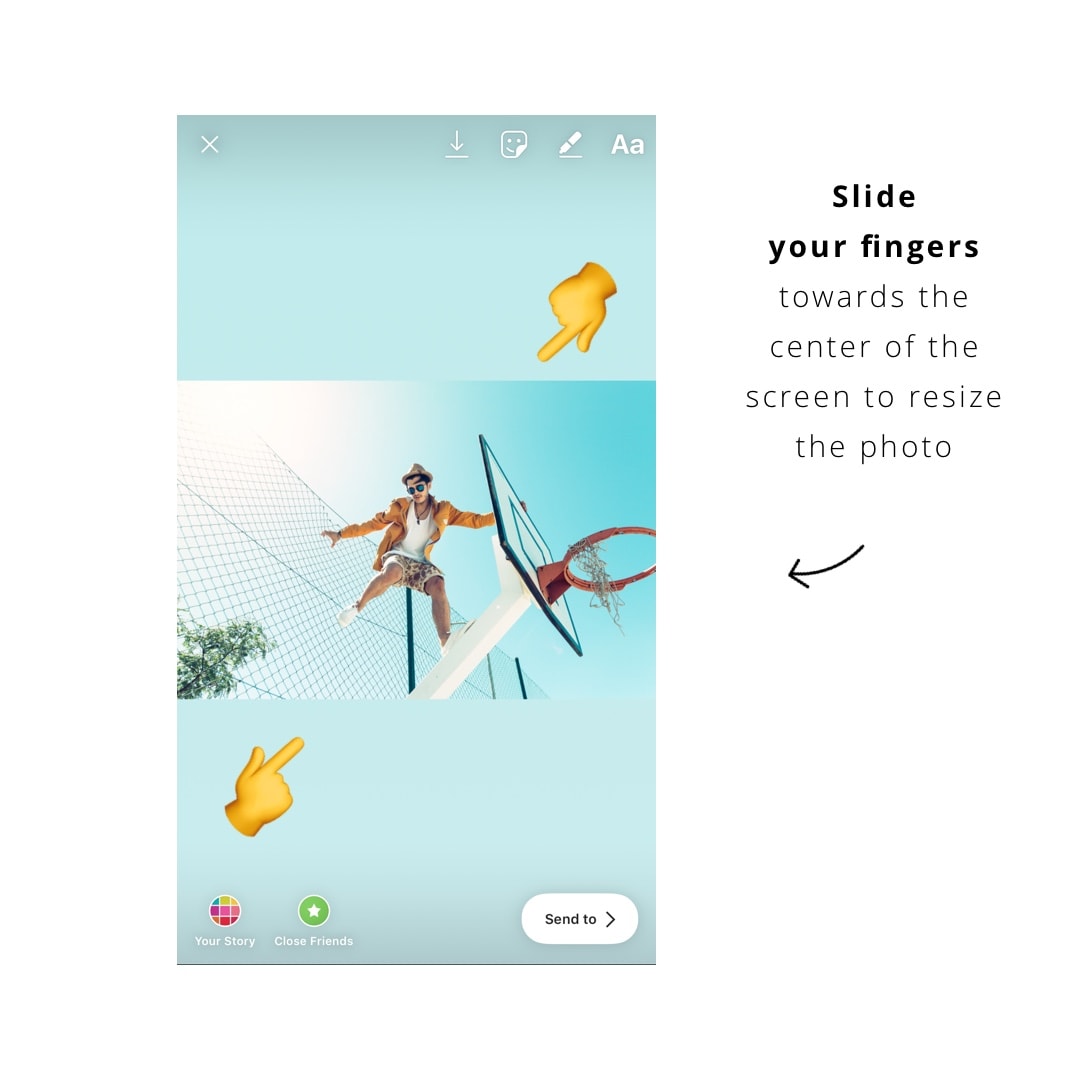
- Pinch the screen and move your fingers together towards the center of the screen
Does it make sense? This is what I do: I place both of my thumbs on each side of the screen and slide them to the center. You will see your photo resize.
It works for videos too.
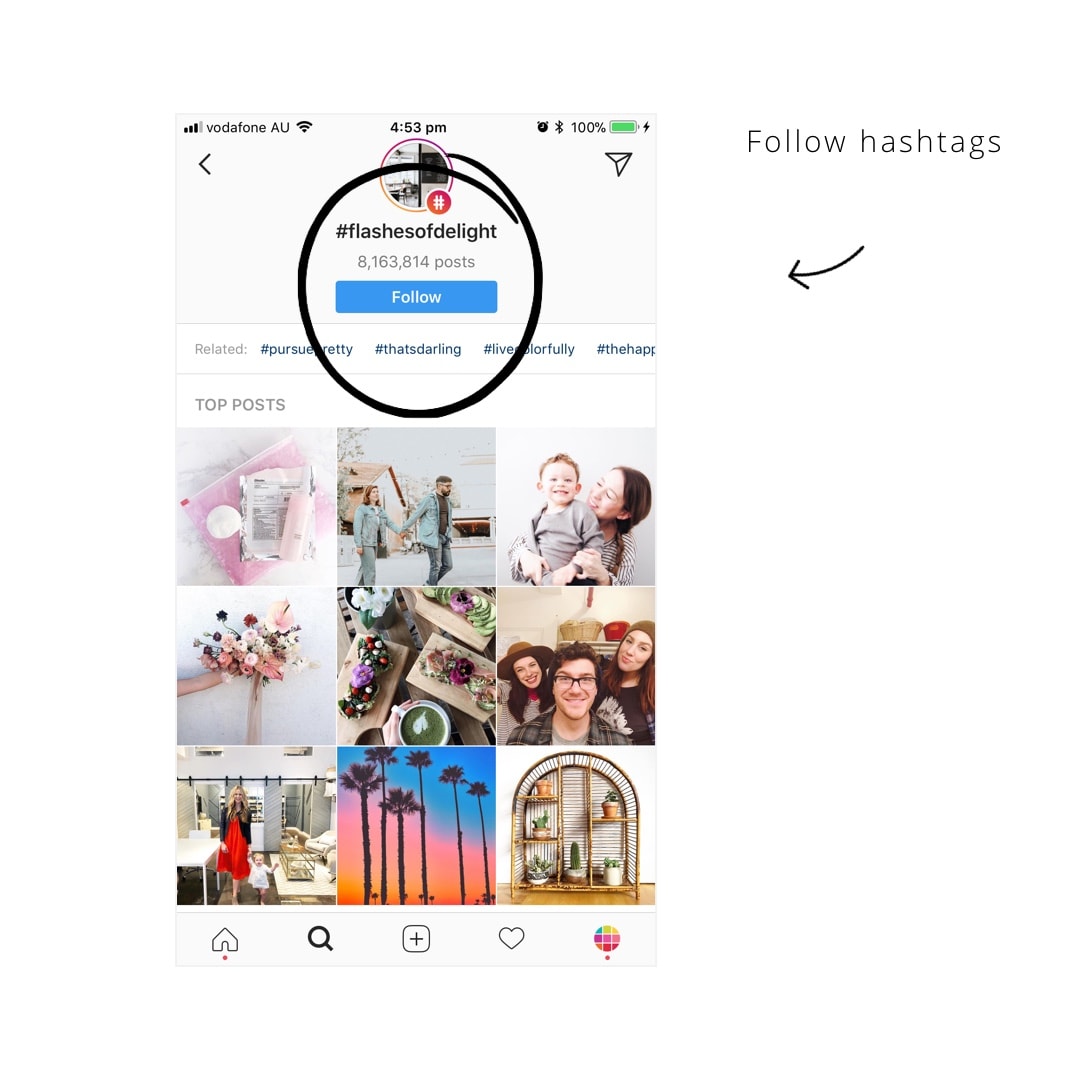
3. Follow hashtags
This is one of my favorites new feature. You can now follow hashtags. Photos of people who are using the hashtag will pop up in your home feed. It will look like you are following them, even though you’re not.
Example: I’m following #ipreview to see what the Preview app community posts. I love that the community comes to my home feed. It’s an amazing way to meet new people.
4. “Recommended for you” posts
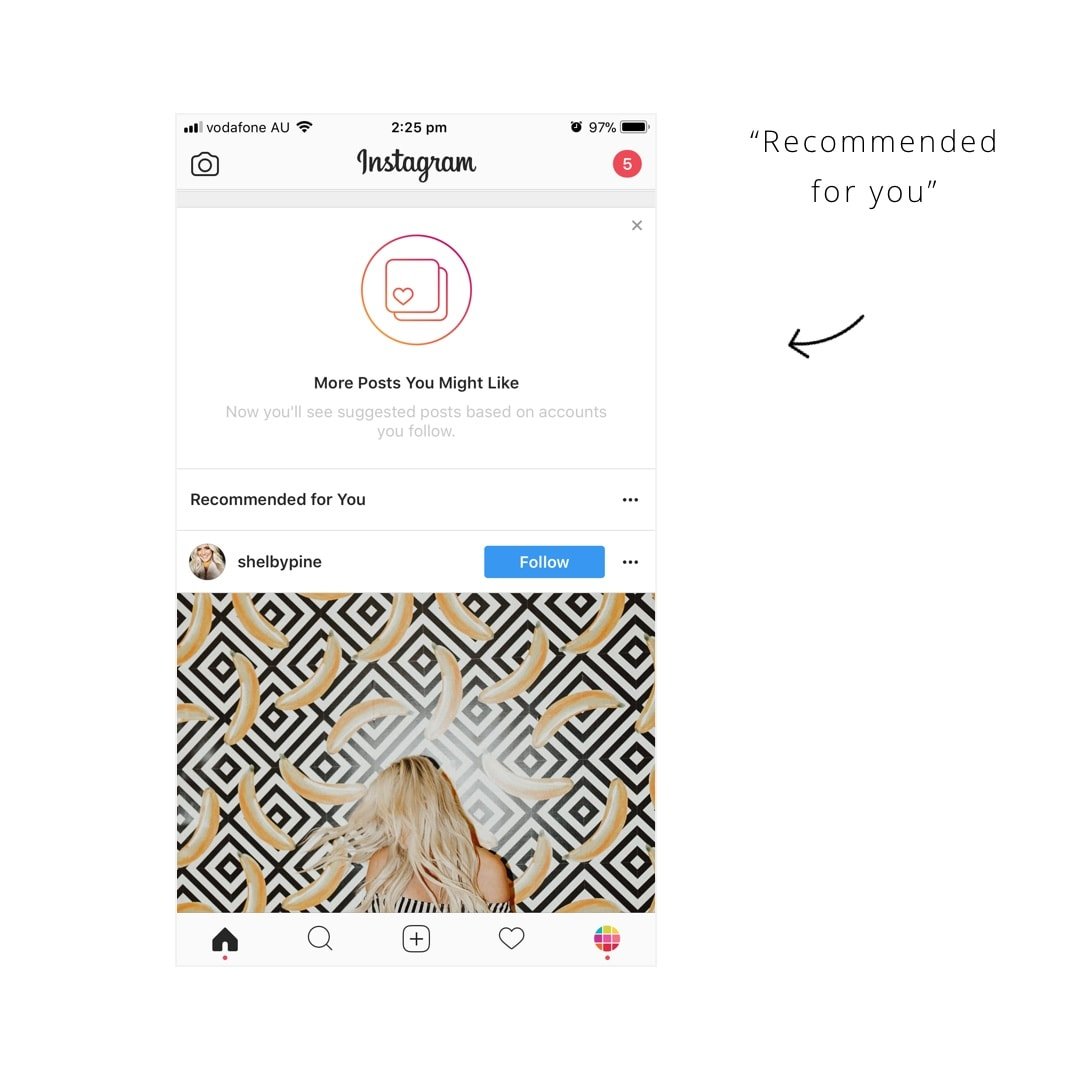
Instagram is testing this new feature at the moment. It’s called “Recommended for you”.
Instagram shows you posts you might like based on account you follow.
These posts appear in your home feed. It’s another great way to find new accounts and connect with new people. So keep posting! You could be appearing in people’s home feeds.
It will look like this:
5. New fonts in Insta Stories
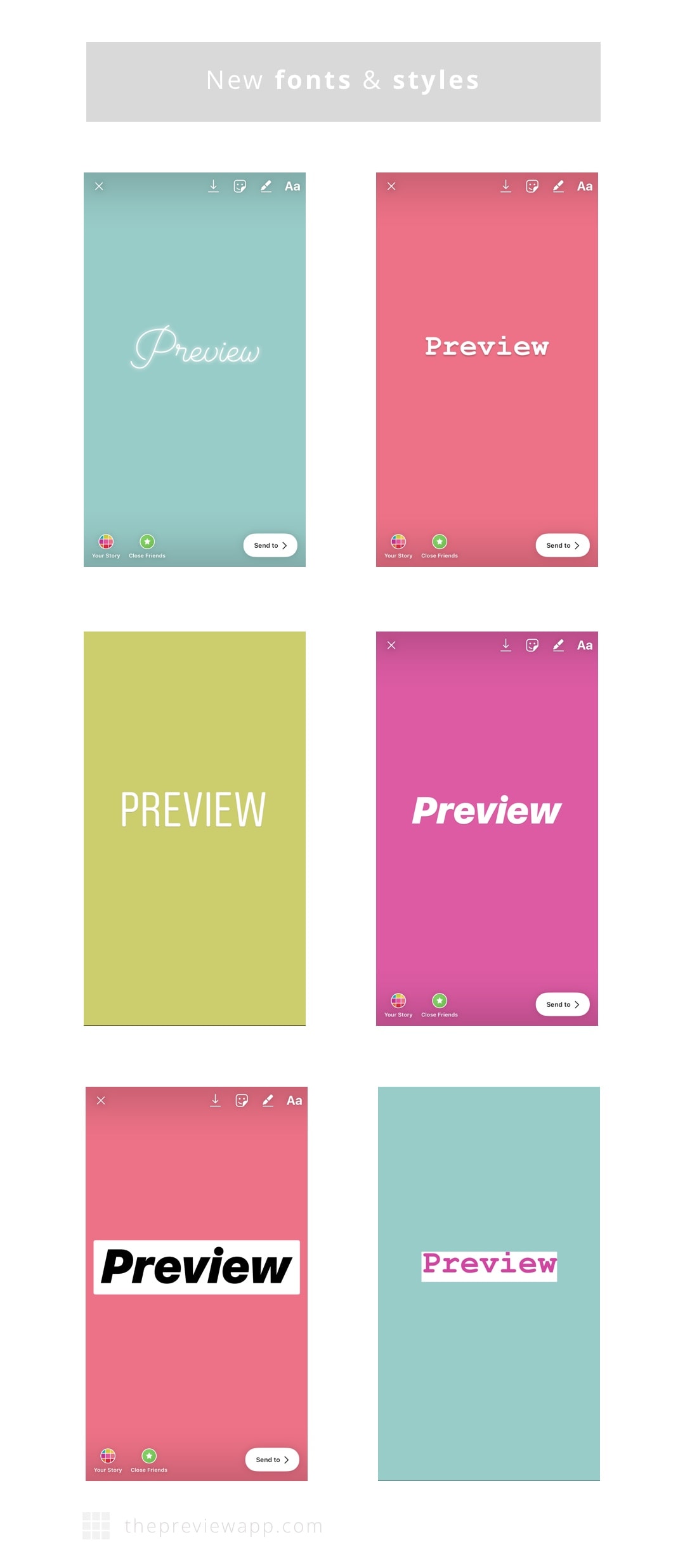
This is another awesome new Insta Story feature! Based on all the comments I got on Instagram, you guys love this one the most. Insta Story now has 5 new fonts for your text.
The new feature appears on top of your Insta Story screen when you’re adding text.
6. The “Type” feature in Insta Story
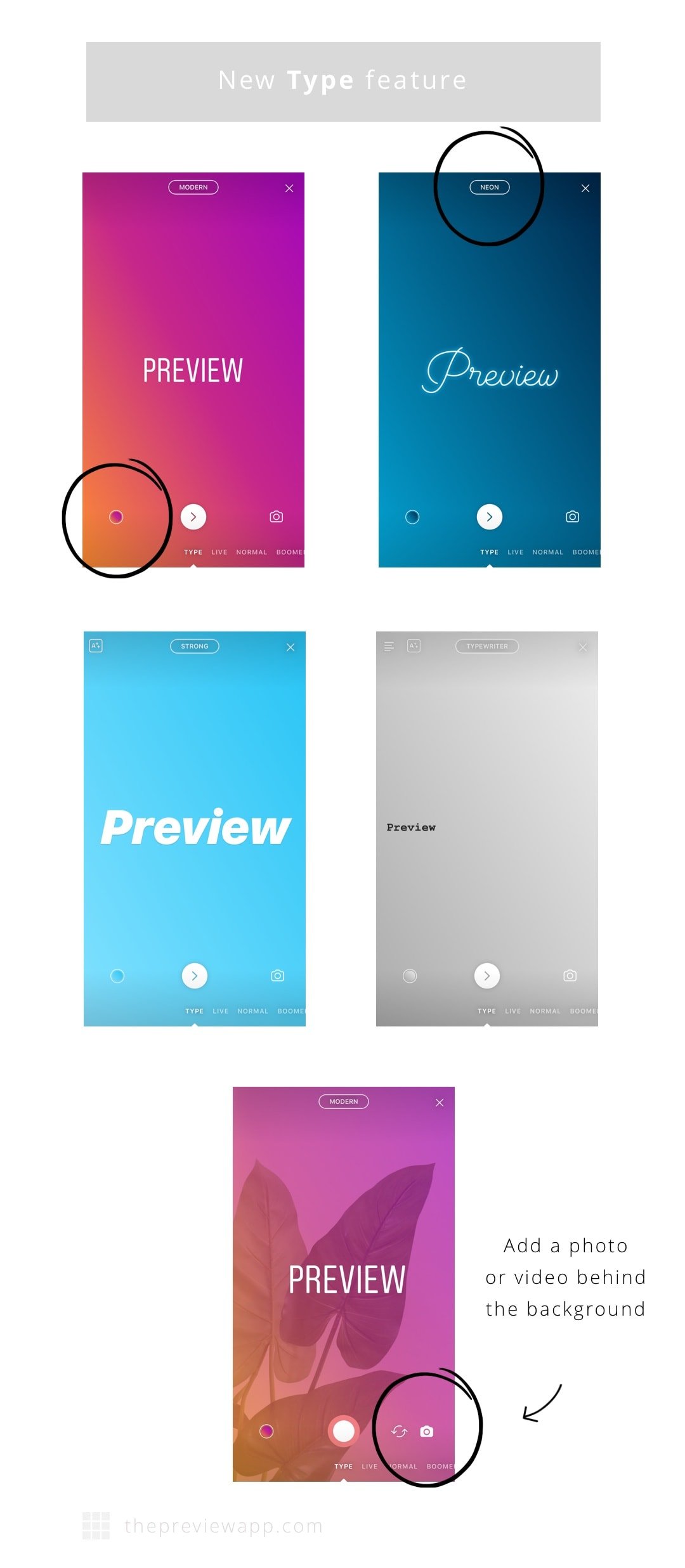
There is a new Insta Story feature called “Type”. “Type” allows you to choose different background colors for your text:
- Open your Insta Story
- Select “Type” at the bottom of your screen
- Press the circle to change the background color
- Press “Type” to change the style and background of your Story
Tip: Press the “camera” icon on the right to add a photo or video behind the background color. To take a photo, press on the middle circle. To record a video, hold your finger pressed on the same circle until you are done recording your video. Release the circle button to stop recording.
7. Stop Motion in your Insta Stories
This is such a cool and creative new feature! I cannot wait to see how people will use it.
Stop motion is a series of photos put together. The objects in the photos move. And when you play the photos one after the other it looks like a video. I hope this makes sense.
Here are some awesome examples of people using stop motion on Instagram:
You can do the same thing using the Stop Motion feature in your Insta Story:
8. Insta Story Highlights
Another Insta Story feature! This one is not a “new” Instagram Story feature of 2018. It began in December 2017. However not everyone has this feature yet.
Insta Stories usually last only for 24 hours. Now Instagram allows you to “archive” your Insta Stories. This way, if you feel like sharing them again you can. Even better, you can create an “Insta Story album” (called Highlight) and share it under your bio.
It looks like this:
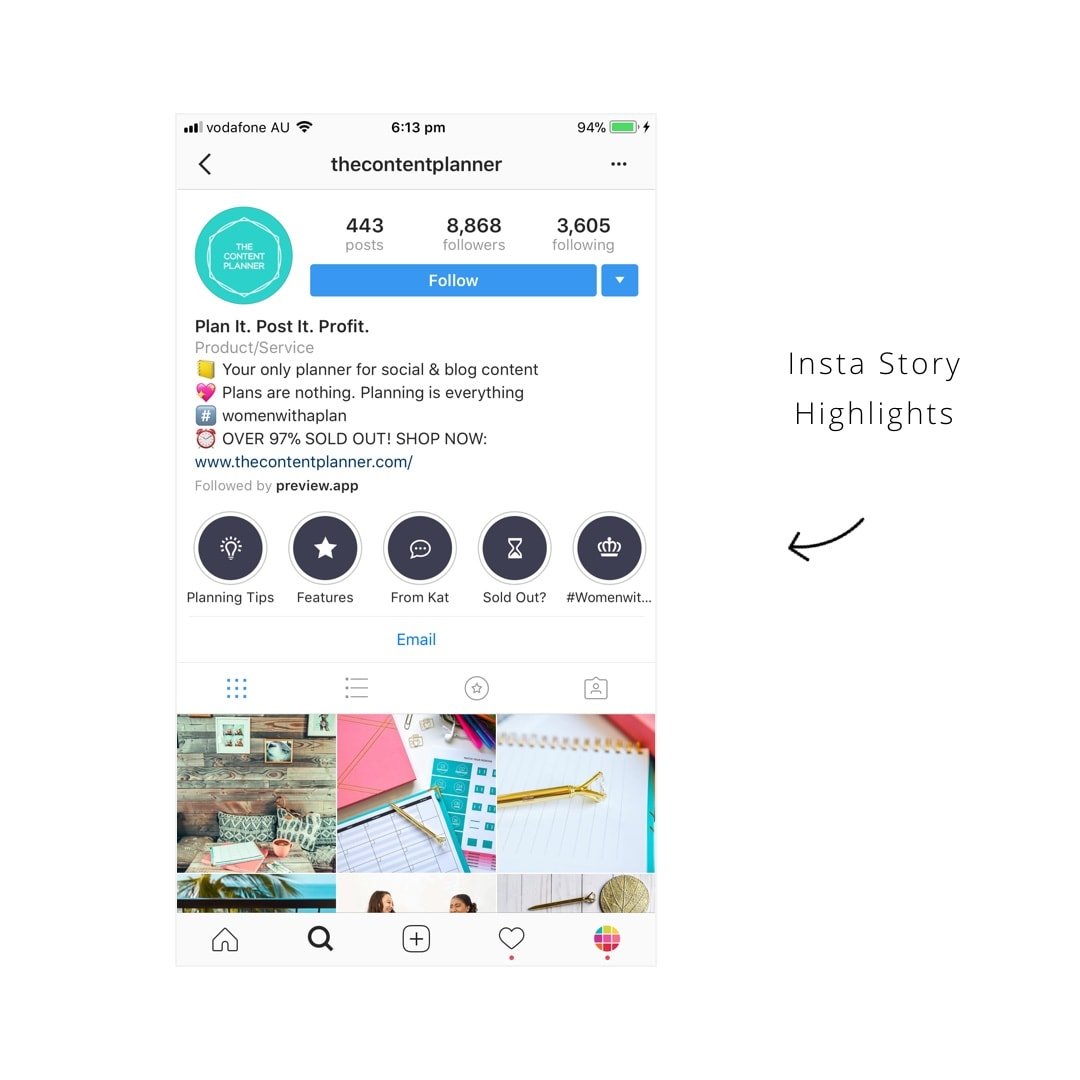
A lot of people are getting creative with their Highlights. They create custom “covers” (the image you see in the circle).
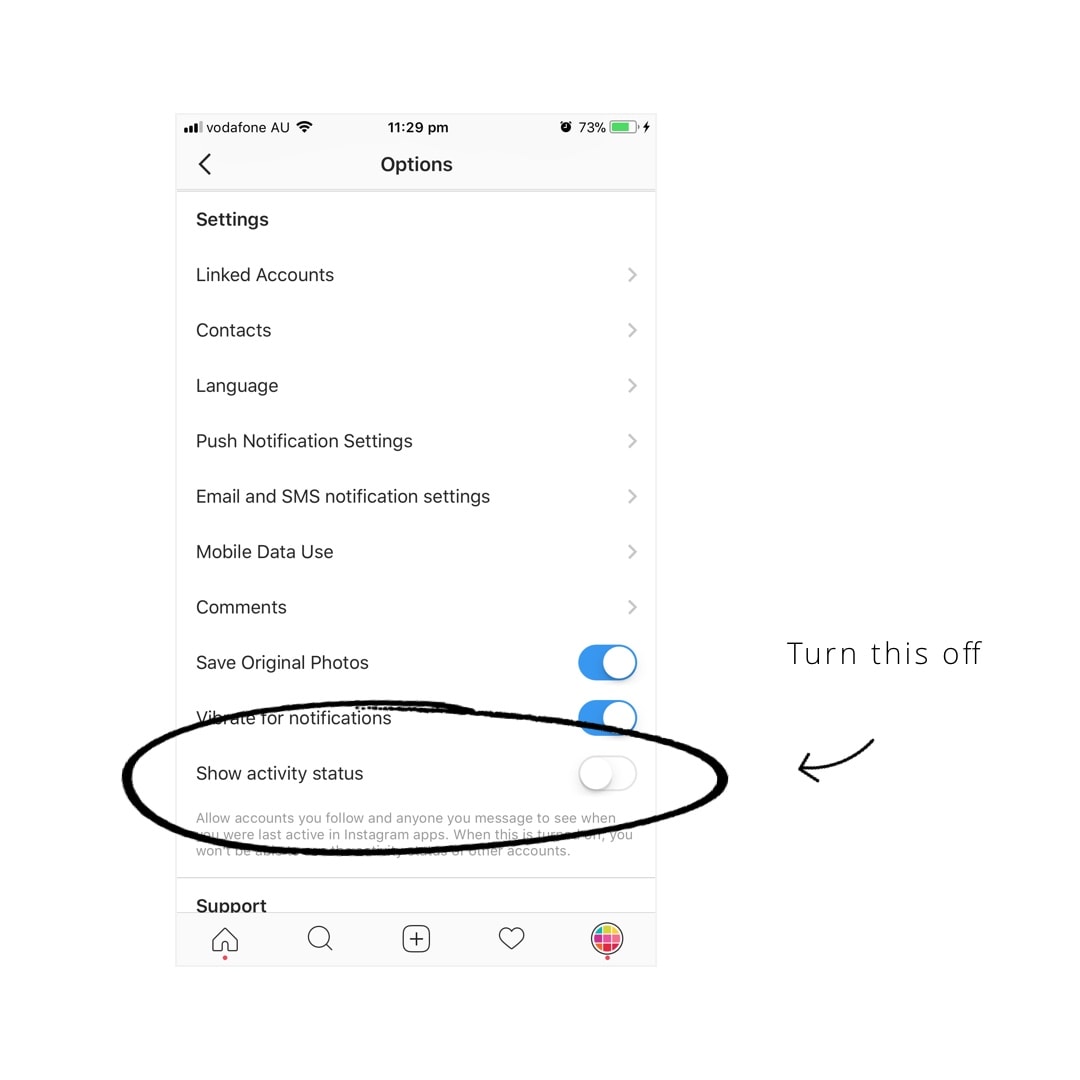
9. Online status: check if someone is online on Instagram
Not many people know about this new feature because Instagram has not announced it yet.
Now you can see when someone is live / online on Instagram or not. And people can also check when you are online.
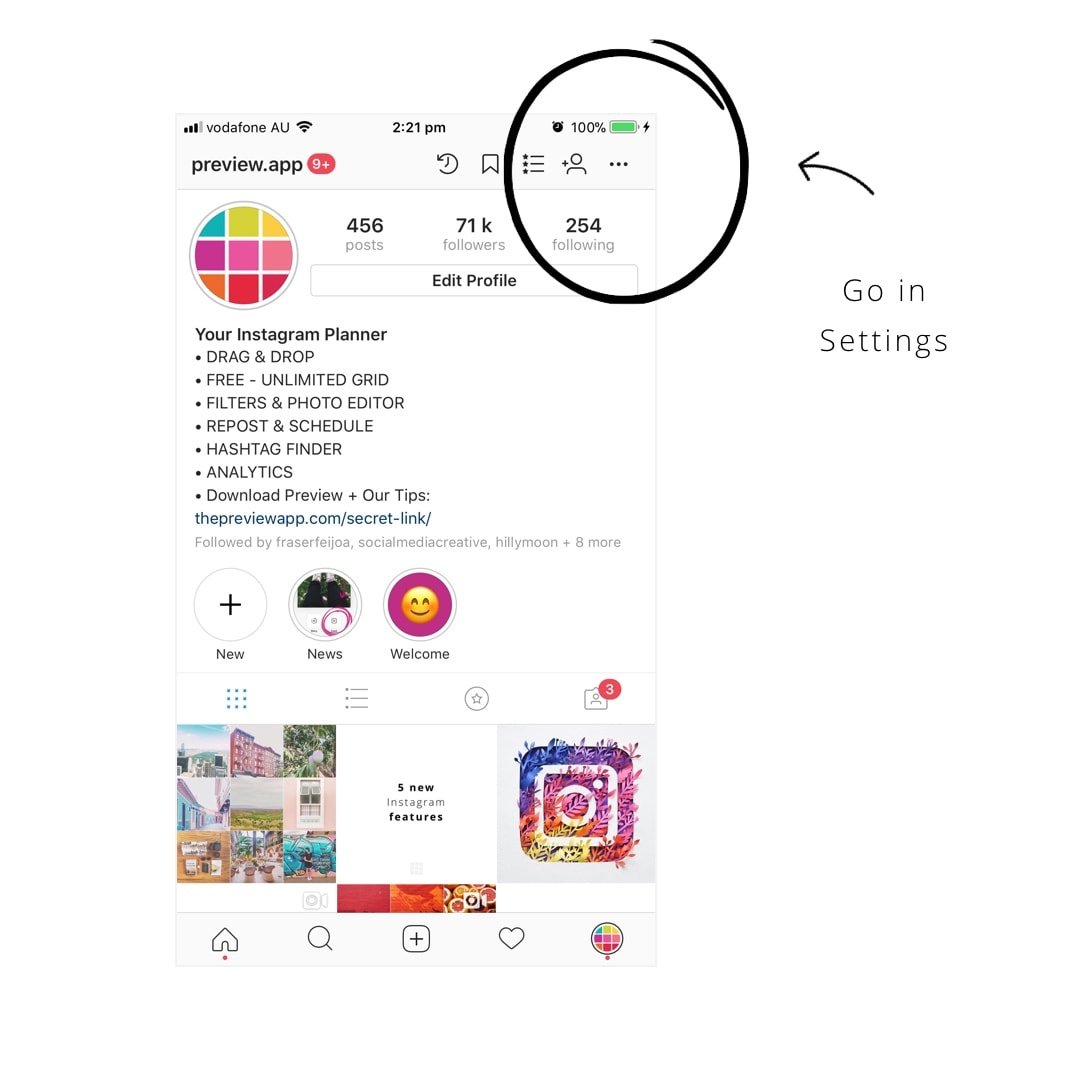
If you don’t want people to know when you’re online you can turn it off:
- Open your Instagram app
- Go in your account settings
- Scroll down to the “Settings” section
- Turn off “Show activity status”
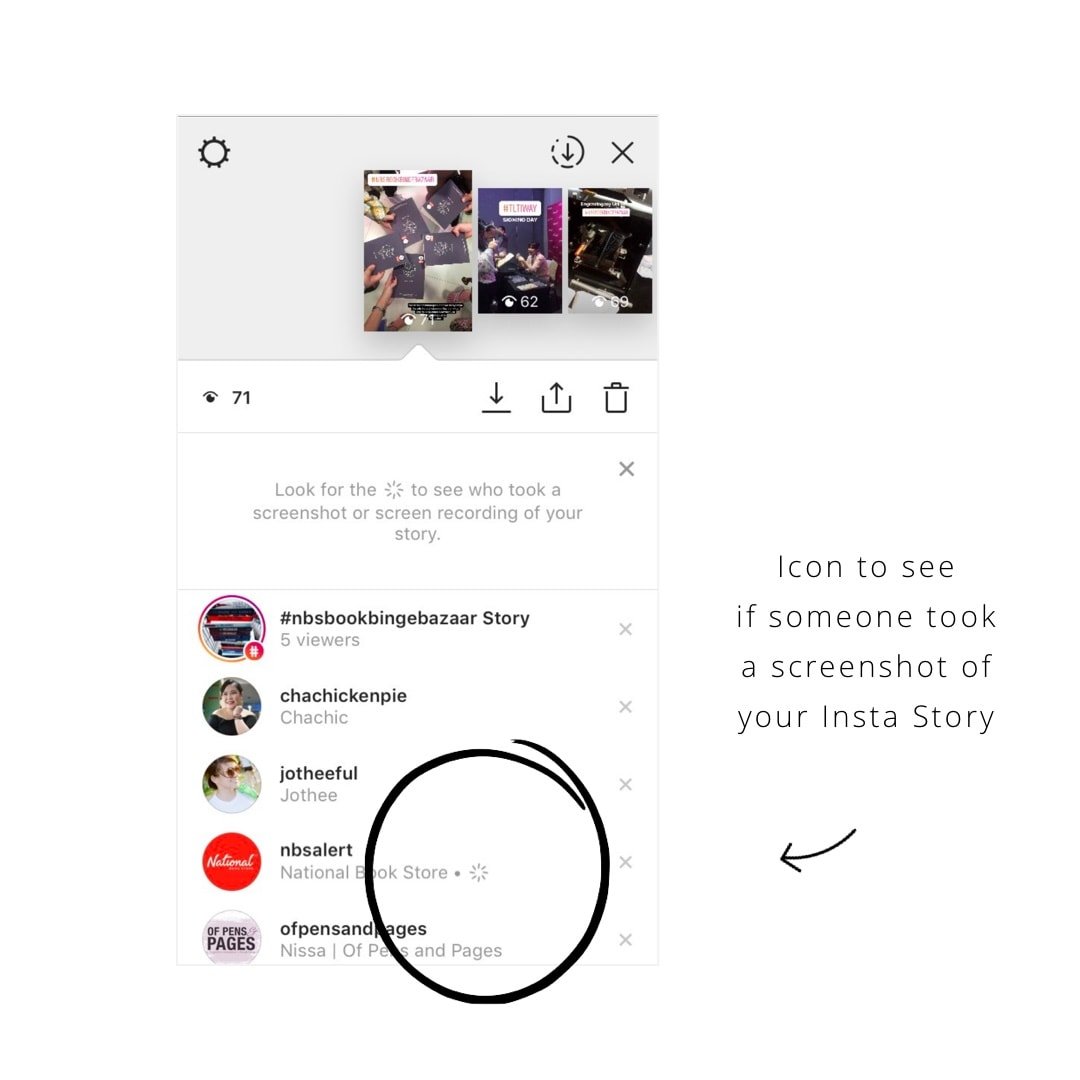
10. People know when you’re taking a screenshot or screen recording of their Insta Story
Next time you take a screenshot or screen recording, the person who posted will be able to see.
A “sun” icon will appear next to your username if you took a screenshot an Insta Story. It looks like this:
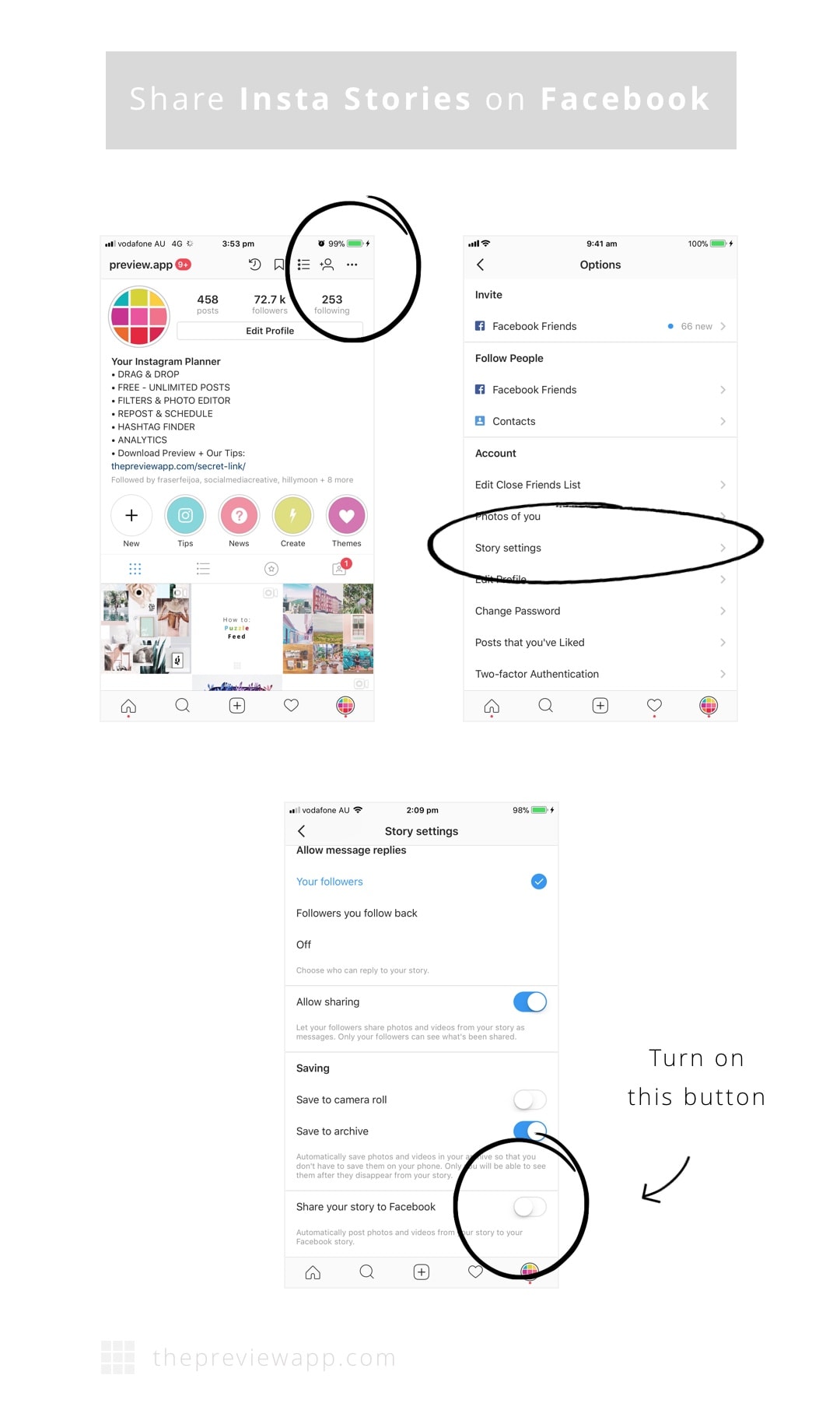
11. Automatically share your Insta Story on Facebook Story
In case you didn’t know, Facebook also has a “Story” feature. It works the same as on Instagram. You can share photos and videos during the day.
Now you can share your Insta Story on Facebook Story, automatically. Every time you share an Insta Story on Instagram it will also be shared on Facebook.
If you want to do that, make sure you turn on the “Share to Facebook” button:
- Open your Instagram settings
- Select “Story settings”
- Turn on “Share your Story to Facebook”
- Instagram will ask you to login to your Facebook account (if you haven’t done it yet)
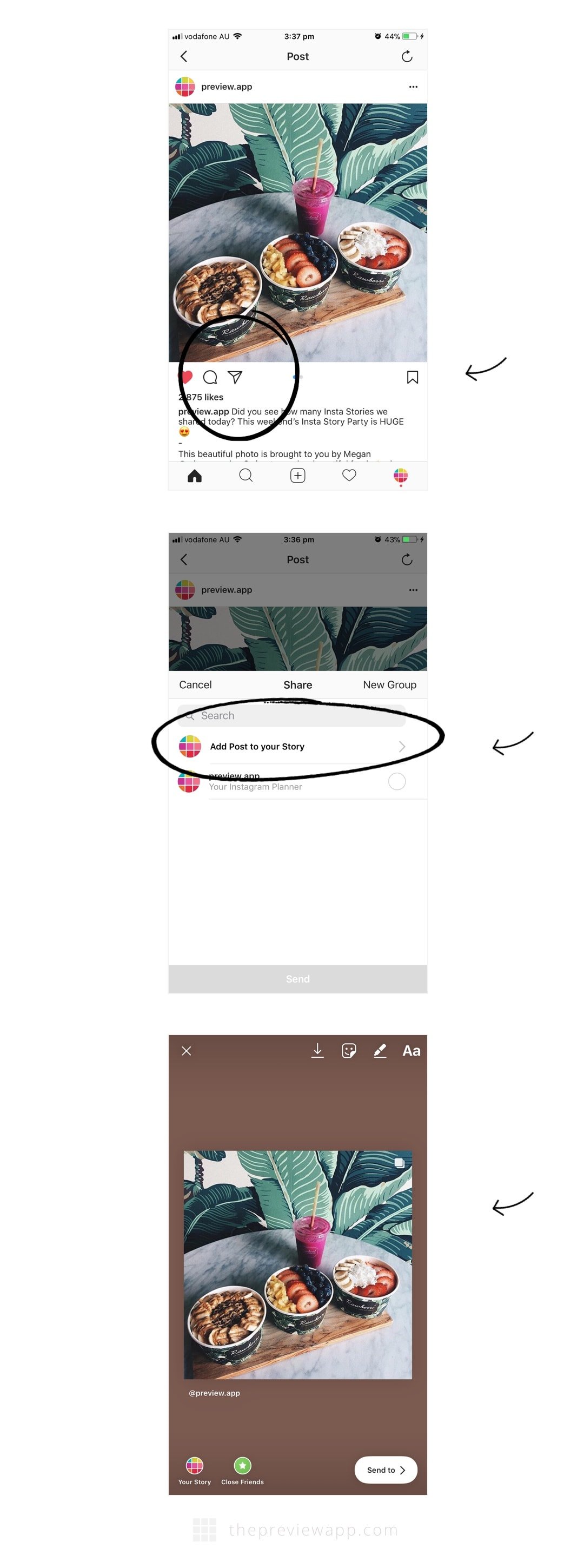
12. Share Instagram posts on your Insta Story
Press on the “paper plane” icon and select “Add Post to your Story”.
13. Instagram Shopping
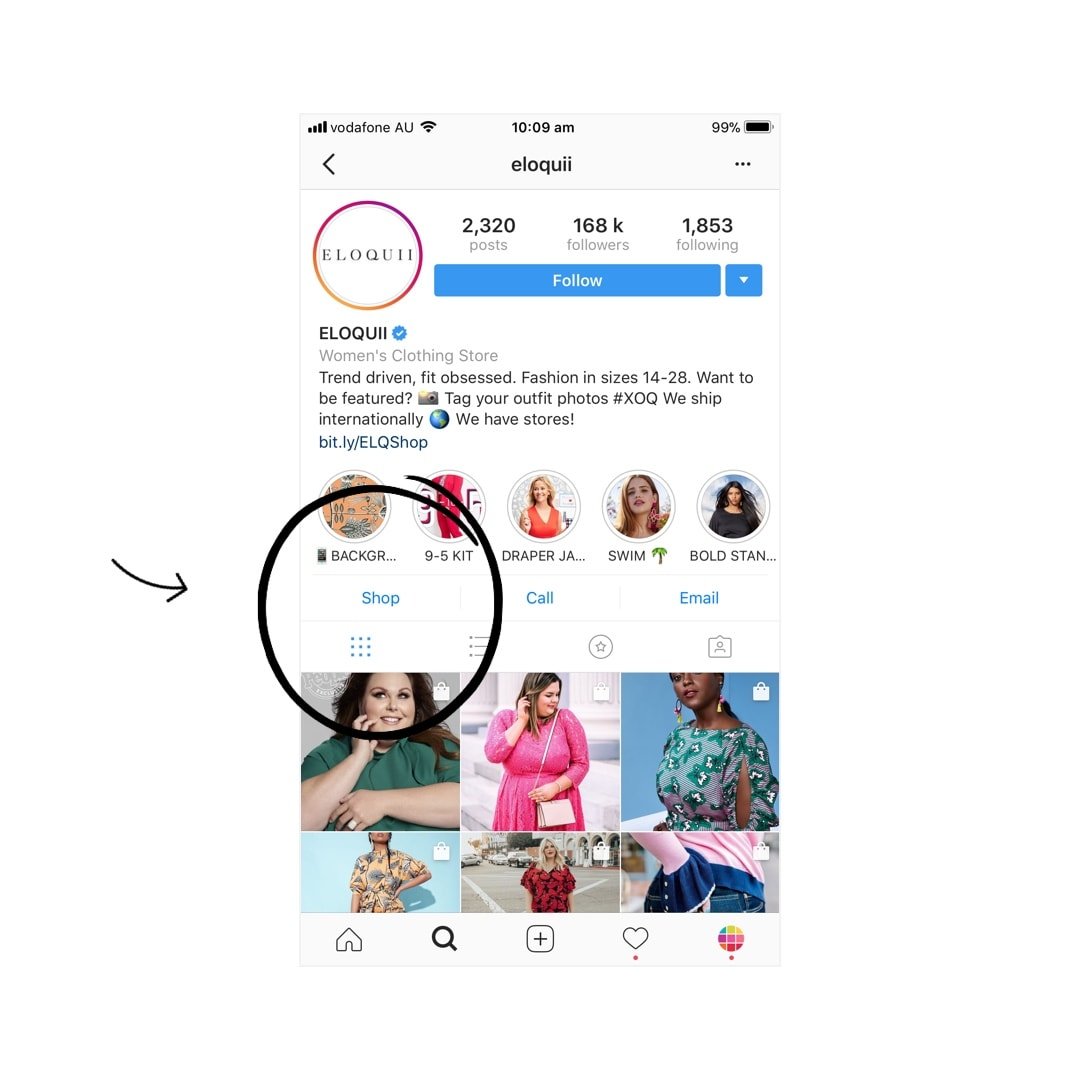
Instagram shopping is here! If you have a Facebook business page or catalog, and an Instagram business page, you’ll be able to sell products on Instagram. And if you want to shop, you’ll just have to press the “Shop” button.
14. Add hashtags and profile links in your bio
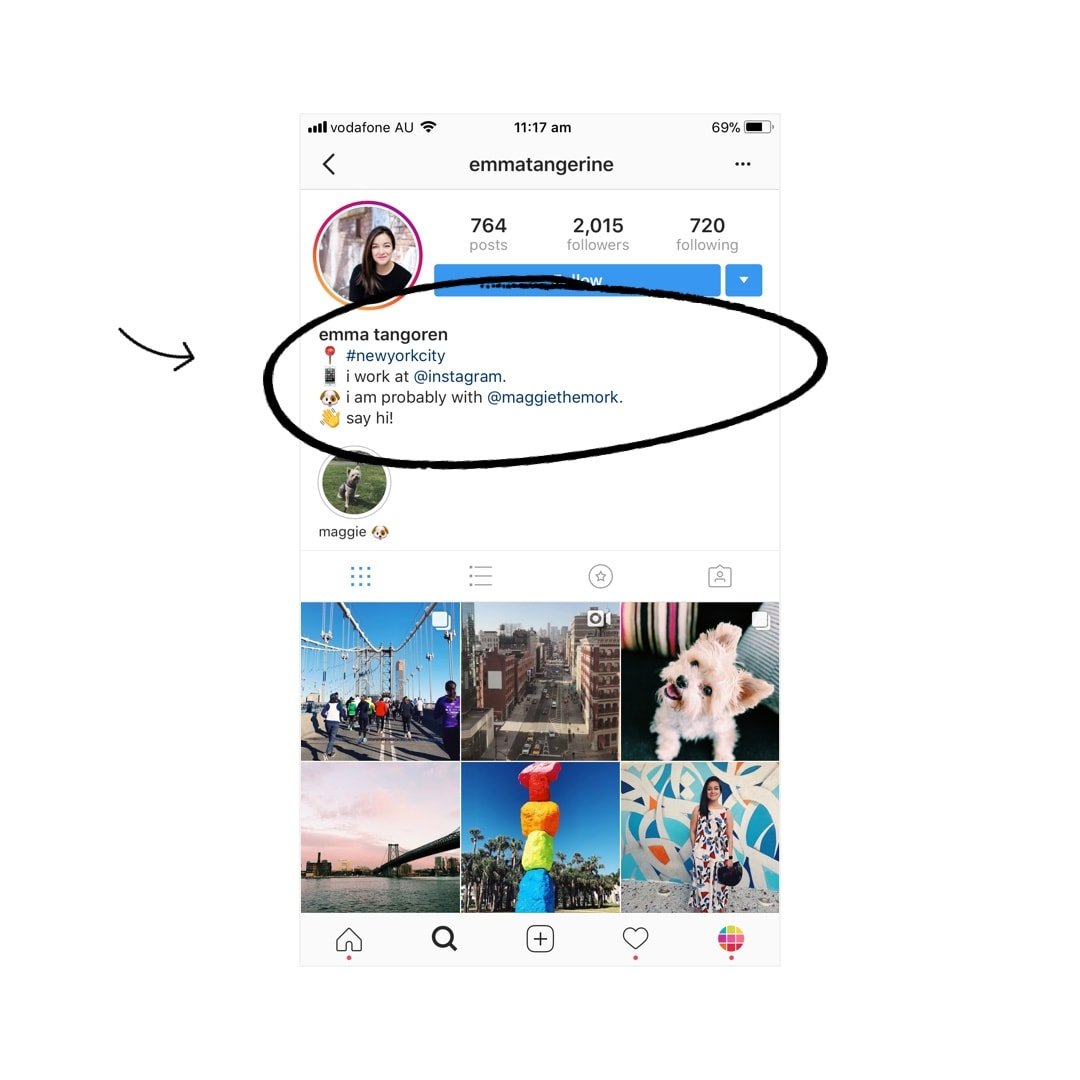
You can now add hashtags and usernames in your bio. They will be clickable. They will bring you to a hashtag page or another Instagram profile.
Note: When you mention someone else’s profile in your bio, they will receive a notification and can choose to remove the link to their profile. Their profile will remain in your bio but without a link.
15. “Focus” feature on Insta Story
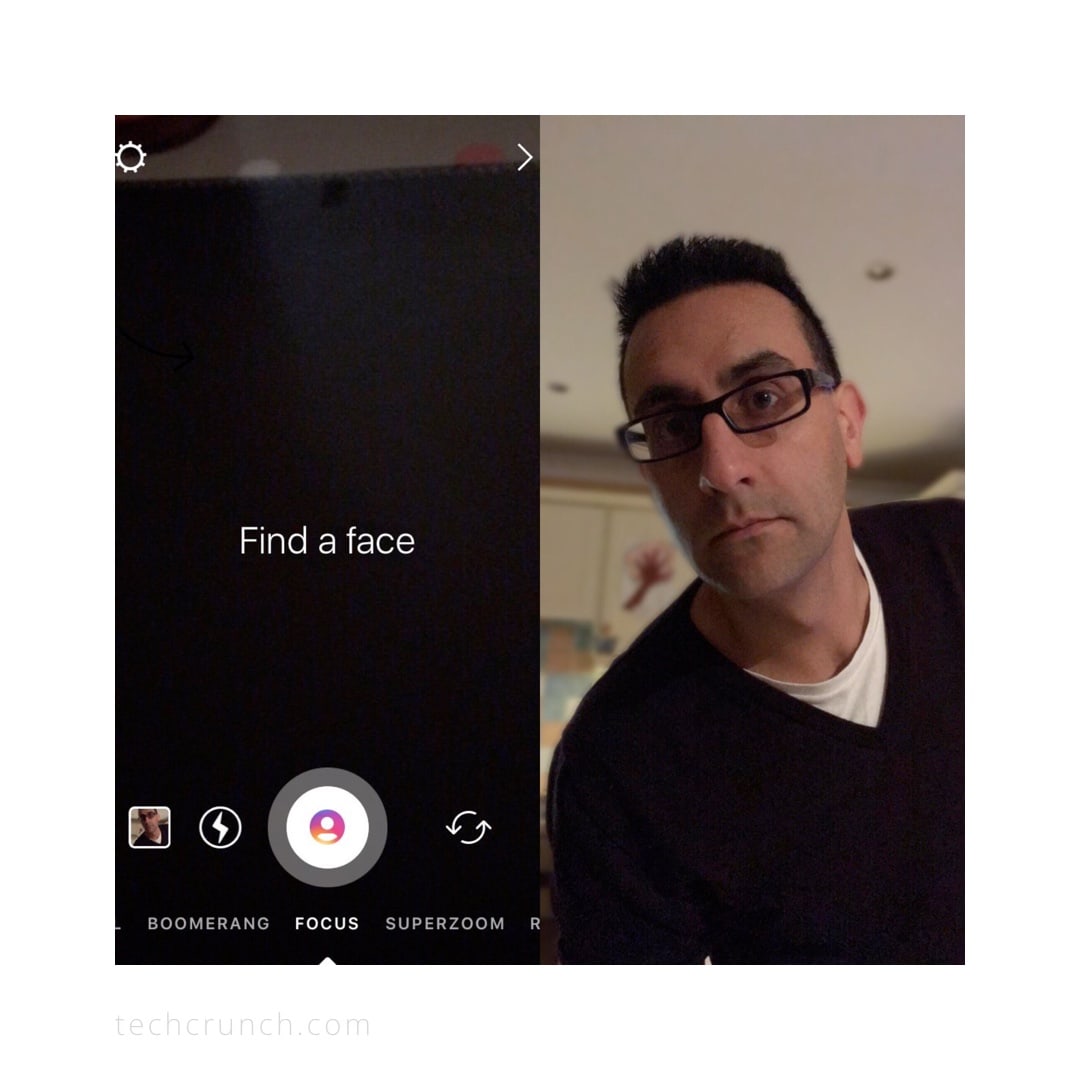
Another cool new feature on Insta Story: “Focus”. It will blur out the background of your photo. This is especially cool if you’re taking a selfie. It will make your photo look like it was taken with a professional camera.
16. Chronological feed?
Is the Instagram home feed becoming chronological again? There will be a new button on top of your home feed called “New Posts”. When you press it it will load new posts from the people you’re following. This means that you will see the most recent posts.
This is what Instagram said:
- “We’re introducing changes to give you more control over your feed and ensure the posts you see are timely.”
- “Based on your feedback, we’re also making changes to ensure that newer posts are more likely to appear first in feed. With these changes, your feed will feel more fresh, and you won’t miss the moments you care about. So if your best friend shares a selfie from her vacation in Australia, it will be waiting for you when you wake up.”
We don’t know yet if the posts will still show up based on our activity on Instagram (posts we interact with = posts we see in our feed). It looks like it might be a mix of our current home feed (based on our activity on Instagram) and this new home feed with the button.
We’ll let you know when we hear more news.
To be continued…
That’s it for now. I will add more new features to the list when Instagram releases new features. So feel free to save this article somewhere if you want to stay up-to-date. And as always, let me know in the comments if you have any questions.